



Skip to content
View in the app

A better way to browse. Learn more.

ZeiGames

A full-screen app on your home screen with push notifications, badges and more.

To install this app on iOS and iPadOS
  1. Tap the Share icon in Safari
  2. Scroll the menu and tap Add to Home Screen.
  3. Tap Add in the top-right corner.
To install this app on Android
  1. Tap the 3-dot menu (⋮) in the top-right corner of the browser.
  2. Tap Add to Home screen or Install app.
  3. Confirm by tapping Install.

Saints Row: Gat out of Hell Free Download (Build 921941 + Devil’s Workshop pack DLC + Online)
Featured Replies

header.webp

Game Details

Release Name: Saints Row: Gat out of Hell

Game Version: Build 921941

Release Date: 22 Jan, 2015

Publisher: Deep Silver

Developer: Deep Silver Volition, High Voltage Software

Based On: CSF & PROPHET

Saints Row: Gat out of Hell Direct Download - Game Review

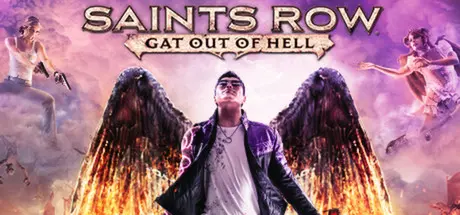
After the space faring antics of Saints Row IV, many fans asked what we could do next… the answer? Shoot The Devil in the face. Play as either Johnny Gat or Kinzie Kensington as you tear apart Hell in a quest to save the leader of the Saints’ soul. Historical icons, old friends, older enemies, a talking gun, a full length musical number, and a whole lot of other shenanigans all await you in the open world standalone expansion playground that is Saints Row: Gat Out Of Hell.

  • Play as Johnny Gat or Kinzie Kensington – For the first time ever, play as the fan favorites Johnny Gat and Kinzie Kensington, alone or in 2-player online co-op.

  • An Open World from Hell – Wage war against the Prince of Darkness through-out the 5 unique districts of hell any way you want: rescue allies, pick a fight with nightmarish Arch-Dukes, rob Satan’s soul processing plants… dozens of options await you in an all new city unlike any that’s been seen in Saints Row before.

  • New Supernatural Powers –The acclaimed super powers of Saints Row 4 are back with a hellish twist - Soar through the air on fallen angel’s wings, summon devilish imps to attack your foes, and surround yourself in a divine aura that forces all to worship you.

  • Outrageous Weapons – Put the 7 deadly sins to good use with an arsenal of underworld themed arms: fire exploding frogs at enemies, shoot swarms of locusts, and even deal destruction from afterlife’s most comfortable (and lethal) armchair.

  • Kill Dex – We promise you can do it this time. Pinky swear.


Game Screenshots

screenshot screenshot screenshot screenshot


Game Trailer


System Requirements

Minimum Requirements

Recommended Requirements

OS

Windows Vista (x86 or x64)

Windows 7 (x86 or x64)

Processor

Intel Core 2 Quad Q6600 | AMD Athlon II x3

Intel i3 2100T | AMD Phenom II x4 or higher

Memory

4 GB RAM

4 GB RAM

Graphics

NVIDIA GTX 260 | AMD Radeon HD 5800 series

NVIDIA GTX 560 | AMD Radeon HD 6800 series or higher

DirectX

Version 10

Version 11

Storage

7 GB available space

7 GB available space


Installation Guide

  1. No Installation Needed: The game is pre-installed. Just download and extract.

  2. Extract: Right-click the .zip or .rar file and select "Extract Here" or "Extract to folder".

  3. Run: Find SaintsRowGatOutOfHell.exe inside the folder and run it.

Multiplayer & Online (Optional)

  • Play Online: Download the Online Fix file and apply it to the game folder.

  • Please go to the online fix page and read the guide.

Important Notes

DLC List

Added DLCs

Saints Row: Gat out of Hell - Devil’s Workshop pack

🔥DOWNLOAD AREA🔥

🔹5.96 GB🔹

Select the server you want to download with ZeiLink.

Download

Online Fix - (RAR pass: rexagames.com)

  • Replies 2
  • Views 541
  • Created
  • Last Reply

Top Posters In This Topic

Posted Images

0xc0000142 start error. How to fix?

Create an account or sign in to comment

Recently Browsing 0

  • No registered users viewing this page.

Account

Navigation

Search

Search

🔎 Search Tip
For exact results, search using "game name" .
Without quotes, results may include unrelated titles.

Configure browser push notifications

Chrome (Android)
  1. Tap the lock icon next to the address bar.
  2. Tap Permissions → Notifications.
  3. Adjust your preference.
Chrome (Desktop)
  1. Click the padlock icon in the address bar.
  2. Select Site settings.
  3. Find Notifications and adjust your preference.
