Skip to content
View in the app

A better way to browse. Learn more.

ZeiGames

A full-screen app on your home screen with push notifications, badges and more.

To install this app on iOS and iPadOS
  1. Tap the Share icon in Safari
  2. Scroll the menu and tap Add to Home Screen.
  3. Tap Add in the top-right corner.
To install this app on Android
  1. Tap the 3-dot menu (โ‹ฎ) in the top-right corner of the browser.
  2. Tap Add to Home screen or Install app.
  3. Confirm by tapping Install.

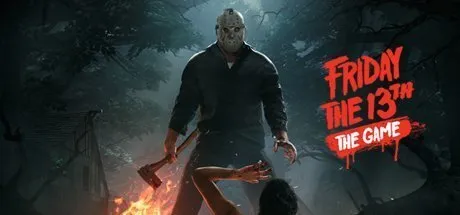
Friday the 13th: The Game Free Download (Build 7200111 & Online)

Featured Replies

header.webp

Game Details

Release Name:ย Friday the 13th: The Game

Game Version:ย Build 7200111

Release Date: 26 May, 2017

Publisher: Gun Media

Developer: IllFonic

Based On:ย CSF & OFME

Friday the 13th: The Game Direct Download - Game Review

Jason is back! Jason Voorhees is unleashed and stalking the grounds of Camp Crystal Lake! Take on the role as Jason Voorhees and Camp Crystal Lake counselors. This is the game youโ€™ve been waiting for; the chance to kill or be killed on Friday the 13th!


Game Screenshots

ss_f38c8ff2d0dd95279ac412dcd99a4c72dd180ss_b9dd291cfed5d993743862f0a4b0b5bff1c03ss_3ee855d44283802cc3c9e1542f501b3626995ss_a1daf123db0fb6e0b9f0a78750f4f1eab9845


Game Trailer


System Requirements

OS

Windows 10

Processor

Intel Core i3-3240 (2 3400), AMD Athlon X4 860K (4 3700)

Memory

6 GB

Graphics

GeForce GTX 750 Ti (2048 MB), Radeon R9 270X (2048 MB)

DirectX

Version 11

Storage

10 GB


Installation Guide

  1. Game is pre-installed so you don't need to install it when you download it.

  2. Right click on the .rar file you downloaded and use the extract to folder option.

  3. Log in to your Steam account.

  4. Start theย EAC_Launcher.exeย inside the game folder..

๐Ÿ”ฅDOWNLOAD AREA๐Ÿ”ฅ

๐Ÿ”น8.84 GB๐Ÿ”น

Select the server you want to download with ZeiLink.

Download

  • Views 1k
  • Created
  • Last Reply

Posted Images

Create an account or sign in to comment

Recently Browsing 0

  • No registered users viewing this page.

Account

Navigation

Search

Search

๐Ÿ”Ž Search Tip
For exact results, search using "game name" .
Without quotes, results may include unrelated titles.

Configure browser push notifications

Chrome (Android)
  1. Tap the lock icon next to the address bar.
  2. Tap Permissions โ†’ Notifications.
  3. Adjust your preference.
Chrome (Desktop)
  1. Click the padlock icon in the address bar.
  2. Select Site settings.
  3. Find Notifications and adjust your preference.