



Theme
Language

Layout
Skip to content
View in the app

A better way to browse. Learn more.

ZeiGames

A full-screen app on your home screen with push notifications, badges and more.

To install this app on iOS and iPadOS
  1. Tap the Share icon in Safari
  2. Scroll the menu and tap Add to Home Screen.
  3. Tap Add in the top-right corner.
To install this app on Android
  1. Tap the 3-dot menu (โ‹ฎ) in the top-right corner of the browser.
  2. Tap Add to Home screen or Install app.
  3. Confirm by tapping Install.

Pixel Robot Return Direct Download (Build 7795791)
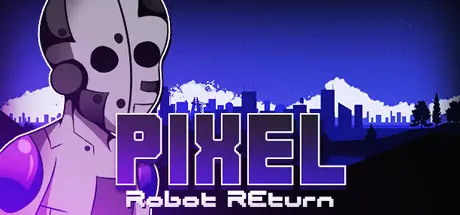
Pixel Robot Return Direct Download

Featured Replies

Pixel Robot Return cover art

Pixel Robot Return Game Details

Release Name:ย Pixel Robot Return

Game Version:ย Build 7795791

Release Date: 4 Jan, 2022

Publisher: Gamesforgames

Developer: Gamesforgames

Based On:ย CSF & Goldberg

Pixel Robot Return Free Download - Game Overview

Pixel Robot is coming back in this new 2d pixel shooter game.
Player is robot whose mission is to kill robot boss and collect treasures. After killing boss level is complete. Levels contain different enemies : flying and walking soldiers. Flying and walking gangsters and spiders and robot bosses in end of every levels. Also different traps like spikes which will kill player. Player can also collect different weapons like megapistol and bomb ammos . Also health pick-ups are available and coins for every level. Game contains also checkpoint system where player will respawn after death.
Game contains 22 levels with different themes

- 22 levels
- checkpoint system
- Double-jump
- Health system
- Player sliding feature
- 3 different weapons: normal rifle, laser rifle and firebomb weapon
- Ammo pick-ups
- Health pick-ups
- Coin pick-ups
- Steam achievements
- different enemies: flying gangster, running gangster, walking soldier, flying soldier, spider, Robot boss with weapons
- Flying platformers
- Controller/gamepad support


Pixel Robot Return Screenshots

Pixel Robot Return screenshot 1 Pixel Robot Return screenshot 2 Pixel Robot Return screenshot 3 Pixel Robot Return screenshot 4


Pixel Robot Return System Requirements

Minimum Requirements

Recommended Requirements

OS

windows 8

Windows 8.1

Processor

i3

i5

Memory

512 MB RAM

512 MB RAM

Graphics

NVidia GeForce 800 series

GeForce GTX 960 or Radeon R9 280X

DirectX

Version 9.0

Version 9.0

Storage

800 MB available space

800 MB available space


How to Install Pixel Robot Return

  1. No Installation Needed: The game is pre-installed. Just download and extract.

  2. Extract: Right-click the .zip or .rar file and select "Extract Here" or "Extract to folder".

  3. Run: Find pixelreturn.exe inside the folder and run it.

Game Data & Settings

  • Change Language: Edit the file located at steam_settings/Configs.user.ini

Important Notes

๐Ÿ”ฅDOWNLOAD AREA๐Ÿ”ฅ

๐Ÿ”น201 MB๐Ÿ”น

Select the server you want to download with ZeiLink.

Download

  • Views 196
  • Created
  • Last Reply

Posted Images

Create an account or sign in to comment

Recently Browsing 0

  • No registered users viewing this page.

Account

Navigation

Search

Search

๐Ÿ”Ž Search Tip
For exact results, search using "game name" .
Without quotes, results may include unrelated titles.

Configure browser push notifications

Chrome (Android)
  1. Tap the lock icon next to the address bar.
  2. Tap Permissions โ†’ Notifications.
  3. Adjust your preference.
Chrome (Desktop)
  1. Click the padlock icon in the address bar.
  2. Select Site settings.
  3. Find Notifications and adjust your preference.
