



Skip to content
View in the app

A better way to browse. Learn more.

ZeiGames

A full-screen app on your home screen with push notifications, badges and more.

To install this app on iOS and iPadOS
  1. Tap the Share icon in Safari
  2. Scroll the menu and tap Add to Home Screen.
  3. Tap Add in the top-right corner.
To install this app on Android
  1. Tap the 3-dot menu (โ‹ฎ) in the top-right corner of the browser.
  2. Tap Add to Home screen or Install app.
  3. Confirm by tapping Install.

Caves of Qud Free Download (v1.0.5 + Pet Pack DLC)
Featured Replies

header.webp

Game Details

Release Name:ย Caves of Qud

Game Version:ย v1.0.5 | Build 24054858

Release Date: 5 Dec, 2024

Publisher: Kitfox Games

Developer: Freehold Games

Based On:ย CSF & Goldberg

Caves of Qud Direct Download - Game Review

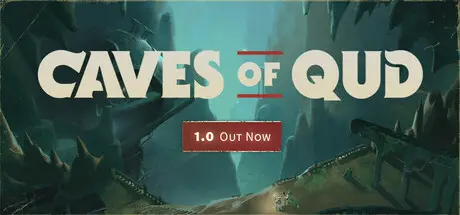
Caves of Qud is a Hugo Award-winning science fantasy roguelike epic steeped in retrofuturism, deep simulation, and swathes of sentient plants. Come inhabit a living, breathing world and chisel through layers of thousand-year-old civilizations. Decide: is it a dying earth, or is it on the verge of rebirth? Do anything and everything. Caves of Qud is a deeply simulated, biologically diverse, richly cultured world.

DEEP PHYSICAL SIMULATION โ€” Donโ€™t like the wall blocking your way? Dig through it with a pickaxe, or eat through it with your corrosive gas mutation, or melt it to lava. Yes, every wall has a melting point.

FULLY SIMULATED CREATURES โ€” Every monster and NPC is as fully simulated as the player. That means they have levels, skills, equipment, faction allegiances, and body parts. So if you have a mutation that lets you, say, psionically dominate a spider, you can traipse through the world as a spider, laying webs and eating things.

DYNAMIC FACTION SYSTEM โ€” Pursue allegiances with over 70 factions: apes, crabs, trees, robots, and highly entropic beings, just to name a few.

RICHLY DETAILED SCIENCE FANTASY SETTING โ€” Over fifteen years of worldbuilding have led to a rich, weird, labyrinthine, one-of-a-kind storyworld, layered on top of the simulation, all for you to explore. Live and drink, friend.

TACTICAL GAMEPLAY โ€” Turn-based, sandbox exploration and combat offers as many solutions as you and your mutations, implants, artifacts, and skills are creative enough to invent.

RPG ELEMENTS โ€” Quests, NPCs, villages, historic sites; some dynamic and some handwritten, interwoven to produce a transportative RPG experience.

ATMOSPHERIC ORIGINAL SOUNDTRACK โ€” Over two hours of otherworldly music to delve to.


Game Screenshots

screenshot screenshot screenshot screenshot


Game Trailer


System Requirements

Minimum Requirements

Recommended Requirements

OS

Windows 10 21H1, Windows 11 21H2

-

Processor

1GHz or faster. SSE2 instruction set support.

-

Memory

4 GB RAM

-

Graphics

Graphics card: DX10, DX11, DX12 capable

-

DirectX

-

-

Storage

2 GB available space

-


Installation Guide

  1. No Installation Needed: The game is pre-installed. Just download and extract.

  2. Extract: Right-click the .zip or .rar file and select "Extract Here" or "Extract to folder".

  3. Run: Find CoQ.exe inside the folder and run it.

Game Data & Settings

  • Change Language: Edit the file located at steam_settings/Configs.user.ini

  • Save Data Location: %USERPROFILE%/AppData/LocalLow/Freehold Games/CavesOfQud/Synced

Important Notes

DLC List

Added DLCs

Caves of Qud - Pet Pack 1 (Caves of Qud - Pets of Harvest Dawn)

๐Ÿ”ฅDOWNLOAD AREA๐Ÿ”ฅ

๐Ÿ”น944 MB๐Ÿ”น

Select the server you want to download with ZeiLink.

Download

  • Replies 1
  • Views 1.4k
  • Created
  • Last Reply

Top Posters In This Topic

Posted Images

  • DicDale changed the title to Caves of Qud Free Download (v1.0.5 + Pet Pack DLC)

Create an account or sign in to comment

Recently Browsing 0

  • No registered users viewing this page.

Account

Navigation

Search

Search

๐Ÿ”Ž Search Tip
For exact results, search using "game name" .
Without quotes, results may include unrelated titles.

Configure browser push notifications

Chrome (Android)
  1. Tap the lock icon next to the address bar.
  2. Tap Permissions โ†’ Notifications.
  3. Adjust your preference.
Chrome (Desktop)
  1. Click the padlock icon in the address bar.
  2. Select Site settings.
  3. Find Notifications and adjust your preference.