



Theme
Language

Layout
Skip to content
View in the app

A better way to browse. Learn more.

ZeiGames

A full-screen app on your home screen with push notifications, badges and more.

To install this app on iOS and iPadOS
  1. Tap the Share icon in Safari
  2. Scroll the menu and tap Add to Home Screen.
  3. Tap Add in the top-right corner.
To install this app on Android
  1. Tap the 3-dot menu (โ‹ฎ) in the top-right corner of the browser.
  2. Tap Add to Home screen or Install app.
  3. Confirm by tapping Install.

Persona 3 Reload Direct Download (Build 22672075 + ALL DLC)
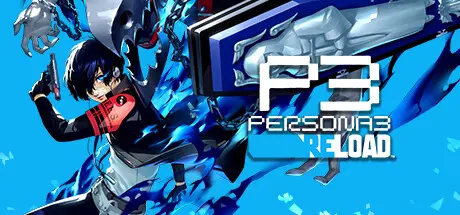
Persona 3 Reload Direct Download

Featured Replies

Persona 3 Reload cover art

Persona 3 Reload Game Details

Release Name:ย Persona 3 Reload

Game Version:ย Build 22672075

Release Date: 1 Feb, 2024

Publisher: SEGA

Developer: ATLUS

Based On:ย CSF & voices38

Persona 3 Reload Direct Download - Game Overview

Step into the shoes of a transfer student thrust into an unexpected fate when entering the hour "hidden" between one day and the next. Awaken an incredible power and chase the mysteries of the Dark Hour, fight for your friends, and leave a mark on their memories forever.

Persona 3 Reload is a captivating reimagining of the genre-defining RPG, reborn for the modern era.

- Experience the pivotal game of the Persona series faithfully remade with cutting-edge graphics, modernized quality-of-life features, and signature stylish UI.

-Fully immerse yourself in an emotional, gripping journey with new scenes, character interactions, and additional voiceover.

- Choose how to meaningfully spend each day through various activities, from exploring the Port Island to forging genuine bonds with beloved characters.

- Build and command your optimal team to take down otherworldly Shadows and climb closer to the truth.


Persona 3 Reload Screenshots

Persona 3 Reload screenshot 1 Persona 3 Reload screenshot 2 Persona 3 Reload screenshot 3 Persona 3 Reload screenshot 4


Persona 3 Reload Trailer


Persona 3 Reload System Requirements

Minimum Requirements

Recommended Requirements

OS

Windows 10

Windows 10

Processor

Intel Core i5-2300, AMD FX-4350

Intel Core i7-4790, AMD Ryzen 5 1400

Memory

8 GB RAM

8 GB RAM

Graphics

NVIDIA GeForce GTX 650 Ti, 2 GB; AMD Radeon HD 7850, 2 GB

NVIDIA GeForce GTX 1650, 4 GB, AMD Radeon R9 290X, 4 GB

DirectX

Version 12

Version 12

Storage

30 GB available space

30 GB available space


How to Install Persona 3 Reload

  1. No Installation Needed: The game is pre-installed. Just download and extract.

  2. Extract: Right-click the .zip or .rar file and select "Extract Here" or "Extract to folder".

  3. Run: Find P3R/Binaries/Win64/P3R.exe inside the folder and run it.

Game Data & Settings

  • Change Language: Edit the file located at steam_settings/Configs.user.ini

  • Save Data Location: %USERPROFILE%/AppData/Roaming/SEGA/P3R/Steam/

Important Notes

DLC List

Added DLCs

Persona 3 Reload: Expansion Pass

Persona 3 Reload - Digital Soundtrack

Persona 3 Reload - Digital Artbook

Persona 3 Reload - Persona 5 Royal BGM Set

Persona 3 Reload - Persona 4 Golden BGM Set

Persona 3 Reload - Persona 4 Golden Persona Set

Persona 3 Reload - Persona 5 Royal Persona Set 2

Persona 3 Reload - Persona 5 Royal Persona Set 1

Persona 3 Reload - Persona 5 Royal Phantom Thieves Costume Set

Persona 3 Reload - Persona 5 Royal Shujin Academy Costume Set

Persona 3 Reload - Persona 4 Golden Yasogami High Costume Set

๐Ÿ”ฅDOWNLOAD AREA๐Ÿ”ฅ

๐Ÿ”น19.60 GB๐Ÿ”น

Select the server you want to download with ZeiLink.

Download

  • Views 755
  • Created
  • Last Reply

Posted Images

Create an account or sign in to comment

Recently Browsing 0

  • No registered users viewing this page.

Account

Navigation

Search

Search

๐Ÿ”Ž Search Tip
For exact results, search using "game name" .
Without quotes, results may include unrelated titles.

Configure browser push notifications

Chrome (Android)
  1. Tap the lock icon next to the address bar.
  2. Tap Permissions โ†’ Notifications.
  3. Adjust your preference.
Chrome (Desktop)
  1. Click the padlock icon in the address bar.
  2. Select Site settings.
  3. Find Notifications and adjust your preference.
