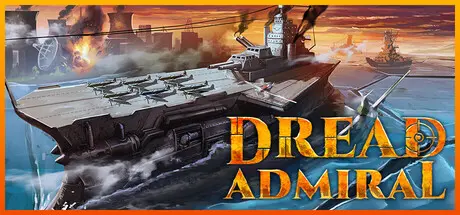
Sunday at 12:56 AM2 days Dread Admiral Game DetailsRelease Name: Dread AdmiralGame Version: v1.0.5 | Build 25142756Release Date: 3 Sep, 2026Publisher: Tescrin GamesDeveloper: Tescrin GamesBased On: CSF & GoldbergDread Admiral Direct Download - Game OverviewDread Admiral is a turn-based naval roguelite where you command a persistent fleet across a hostile archipelago. Every ship you build carries forward, and every ship you lose is lost forever. Every turn you spend on a mission is a turn less for the future - and a turn closer to a relentless enemy engulfing you. Earn ranks, unlock Perks and technology, and earn upgrades for your Flagship even when you lose.No two campaigns play the same. Navigate unpredictable mission modifiers against AI Admirals with distinct personalities and tactics, deciding when you fight and when you flee.Every turn, the Black Fleet gets closer - will you gather more resources and ships, or will you abandon your mission to buy time?Alternating Activations - You're always looking for the next best move, as is your opponent. Every ship has been delicately balanced to have a role to play.Dread Admiral is perfect for players who enjoyed FTL, Urtuk: The Desolation, or Darkest Dungeon. You will lose. You will make tough decisions. You will run out of time. You will fail mission objectives. You will eke out victory by the slimmest of margins against an AI that adapts its fleet and economy to yours.Dread Admiral Screenshots Dread Admiral TrailerDread Admiral System RequirementsMinimum RequirementsRecommended RequirementsOSWindows 10-Processor2.0 GHz CPU, 2+ Cores-Memory4 GB RAM-GraphicsIntegrated-DirectX--Storage300 MB available space-How to Install Dread AdmiralNo Installation Needed: The game is pre-installed. Just download and extract.Extract: Right-click the .zip or .rar file and select "Extract Here" or "Extract to folder".Run: Find Dread Admiral.exe inside the folder and run it.Game Data & SettingsChange Language: Edit the file located at steam_settings/Configs.user.iniSave Data Location: %USERPROFILE%/AppData/LocalLow/Tescrin Games/Dread Admiral/Important NotesTo support the Game Developer, Get It On Steam.🔥DOWNLOAD AREA🔥🔹524 MB🔹Select the server you want to download with ZeiLink.Download





Create an account or sign in to comment