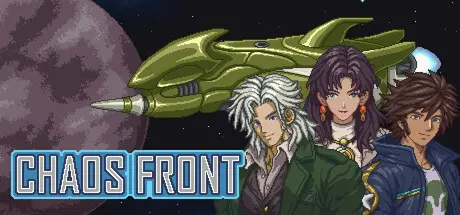
Saturday at 07:51 AM2 days Chaos Front Game DetailsRelease Name: Chaos FrontGame Version: Build 25137822Release Date: 3 Sep, 2026Publisher: ChaosGalaxyStudioDeveloper: Han ZhiyuBased On: CSF & GoldbergChaos Front Direct Download - Game OverviewForm your mercenary corps, move around the map of Centersea Sector, choose missions and join the war between the powers. Your choices will change the fate of people and the ending of the Centersea War.Partners, enemies, friends ...... There are more than 100 important characters in the game, all with their own stories, identity talents and combat skills, such as commanders, staff officers, merchants, pirates, scientists ...... and even psychics, robots and aliens!Battleships, submarines, mecha, artillery, fighters, titans ...... There are 70 available units in the game, all with different weapons and abilities.Units can use a wide range of behaviors such as stealth, space mines, spreading fog, seizing, stealing, ramming, shelling, combating, shields, defensive force fields, and more. We can research the game system to create a powerful army with a variety of different play styles.We can receive many missions with different story plots at the Mission Centers. It is also possible to participate in battles initiated by the big factions. When we become an ally of a faction, we can even make proposals to the faction to guide its strategic actions.The Solaris Union, the first galaxy regime in human history, was destroyed due to corruption and tyranny during the Great Rebellion. After its fall, the galaxy was divided among three great powers. Unable to defeat each other, eventually, they agreed to a ceasefire and established the Interstellar Consortium to manage thousands of independent planets.Unfortunately, the Interstellar Consortium soon became a tool for the three powers to control and exploit the galaxy. Interstellar navigation was restricted, and planets were subjected to economic exploitation.In the 26th year of the Consortium Calendar, a revolution broke out on the planet Massilia in the Centersea Sector. The Consortium quickly decided to send fleets from the three powers to suppress the revolutionary planets. However, the Consortium Army was weakened due to the defection of the Black Flag, and the front line became a deadlock.The great powers had to allow the Consortium Army to recruit mercenaries to supplement their forces in the war zone. The Revolutionary Army and the Black Flag also began recruiting mercenaries.Militia, pirates, nobles, and technicians from all over the galaxy rushed to Centersea to join the war. Mercenary groups quickly became a main force in the Centersea warfare.Under the temptation of wealth and honor, beneath the banner of revolution and freedom, and stirred by hegemony and conspiracy, the Galaxy was falling into a chaotic era...Chaos Front Screenshots Chaos Front TrailerChaos Front System RequirementsMinimum RequirementsRecommended RequirementsOSWindows 7 / 8 / 10 / 11Windows 7 / 8 / 10 / 11ProcessorIntel i5Intel i5Memory4 GB RAM8 GB RAMGraphicsGTX 860mGTX 1060DirectXVersion 9.0Version 9.0Storage2 GB available space4 GB available spaceHow to Install Chaos FrontNo Installation Needed: The game is pre-installed. Just download and extract.Extract: Right-click the .zip or .rar file and select "Extract Here" or "Extract to folder".Run: Find Chaos Front.exe inside the folder and run it.Game Data & SettingsChange Language: Edit the file located at steam_settings/Configs.user.iniSave Data Location: %USERPROFILE%/AppData/LocalLow/ChaosGalaxyStudio/Chaos FrontImportant NotesTo support the Game Developer, Get It On Steam.🔥DOWNLOAD AREA🔥🔹92 MB🔹Select the server you want to download with ZeiLink.Download





Create an account or sign in to comment