



Theme
Language

Layout
Skip to content
View in the app

A better way to browse. Learn more.

ZeiGames

A full-screen app on your home screen with push notifications, badges and more.

To install this app on iOS and iPadOS
  1. Tap the Share icon in Safari
  2. Scroll the menu and tap Add to Home Screen.
  3. Tap Add in the top-right corner.
To install this app on Android
  1. Tap the 3-dot menu (โ‹ฎ) in the top-right corner of the browser.
  2. Tap Add to Home screen or Install app.
  3. Confirm by tapping Install.

Halloween: The Game (v1.0.0.69333 + ALL DLC + Online)
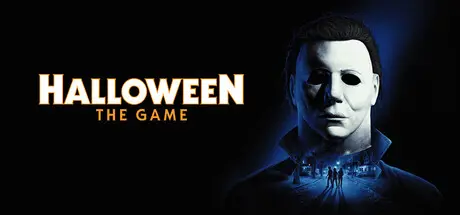
Halloween: The Game

Featured Replies

Halloween: The Game cover art

Halloween: The Game Game Details

Release Name:ย Halloween: The Game

Game Version:ย v1.0.0.69333 | Build 25135136

Release Date: 8 Sep, 2026

Publisher: IllFonic Publishing, Co-Publisher: Gun Interactive

Developer: IllFonic

Based On:ย CSF & Goldberg

Halloween: The Game Free Download - Game Overview

  • Take The Shape of Evil: Target, stalk, and terrorize the residents of Haddonfield as the iconic Michael Myers.

  • Become a Hero of Haddonfield: Arm yourself with weapons and everyday household items to fend off the impending evil, alert the authorities, and rescue the innocent families of Haddonfield.

  • Experience the Ultimate Horror Sandbox: An expansive array of dynamic map features, distinct gameplay systems, life-like NPC interactions, and player abilities elevates the horror sandbox like never before.

  • Singleplayer Slashing: Immerse yourself in the haunting narrative events of "The Night He Came Home" through the eyes of Michael Myers in a standalone singleplayer story.

  • Elevated Asymmetrical Multiplayer: Cooperate with up to four players as the Heroes of Haddonfield and face off against the one and only Michael Myers in unpredictable multiplayer matches unfolding within a living, breathing game world.

Itโ€™s Halloween night, 1978, the unsuspecting families of the quiet suburban town of Haddonfield are making holiday preparations, and evil has made its way home. Take Theย Shape of Evil as Michael Myers or save your neighbors as a Hero of Haddonfield in Halloween, the ultimate asymmetrical horror sandbox.ย 

As Michael, players wear the mask, become the Boogeyman, and stalk innocent residents with relentless obsession. Utilizing a nightmarish array of abilities, Michael leverages shadows and stealth to satisfy his bloodthirst. This doesnโ€™t mean Haddonfield is going down without a fight. Frightened townsfolk will call the local authorities and even fight back when threatened, incentivizing Michael to avoid detection. And for the first time ever, fans of the transformative original film will have the option to witness the haunting narrative events surrounding "The Night He Came Home" through the eyes of Michael Myers in a standalone singleplayer story mode.

As a Hero of Haddonfield, itโ€™s your job to alert the residents of Haddonfield to the impending evil and help them escape before falling victim to Michaelโ€™s unyielding pursuit. In dynamic and ever-changing 1v4 asymmetrical multiplayer matches, hero players must arm themselves with everyday household items, weapons, and knowledge to combat an unpredictable and unkillable enemy. Convincing townsfolk and contacting the police will lead to increasingly powerful and thorough neighborhood patrols. To even the odds, you can command and equip NPCs with weapons to outsmart or even overpower The Shape, providing precious windows for escape.

This immersive horror sandbox is powered by Unreal Engine 5 to deliver engaging and dynamic gameplay systems, life-like NPCs, hauntingly realistic visuals, cinema-quality lighting, and endless scares for you and your friends. Asymmetrical horror comes home in Halloween.


Halloween: The Game Screenshots

Halloween: The Game screenshot 1 Halloween: The Game screenshot 2 Halloween: The Game screenshot 3 Halloween: The Game screenshot 4


Halloween: The Game Trailer


Halloween: The Game System Requirements

Minimum Requirements

Recommended Requirements

OS

Windows 11 64-bit

Windows 11 64-bit

Processor

Intel LGA 1200+ / AMD AM4+ (Zen 2+)

Intel LGA 1700+ / AMD AM5+

Memory

16 GB RAM

32 GB RAM

Graphics

GTX 1660+ / RX 590+ / Arc A770+ (1080p@30fps)

RTX 3000 series / RX 7000 series (4k@30fps)

DirectX

Version 12

Version 12

Storage

45 GB available space

45 GB available space


How to Install Halloween: The Game

  1. No Installation Needed: The game is pre-installed. Just download and extract.

  2. Extract: Right-click the .zip or .rar file and select "Extract Here" or "Extract to folder".

  3. Run: Find \Ravage\Binaries\Win64\Halloween.exe inside the folder and run it.

Multiplayer & Online (Optional)

  • Play Online: Download the Online Fix file and apply it to the game folder.

  • Please go to the online fix page and read the guide.

Game Data & Settings

  • Change Language: Edit the file located at steam_settings/Configs.user.ini

  • Save Data Location: *\Saved\SaveGames\STEAM

Important Notes

DLC List

Added DLCs

Halloween: Digital Deluxe Upgrade

Halloween: Pre-Order Content

๐Ÿ”ฅDOWNLOAD AREA๐Ÿ”ฅ

๐Ÿ”น28.57 GB๐Ÿ”น

Select the server you want to download with ZeiLink.

Download

Online Fix

  • Replies 24
  • Views 4.7k
  • Created
  • Last Reply

Top Posters In This Topic

Most Popular Posts

Posted Images

Is this playable with random people? Official servers or anything like that?

Is there a way to unlock Deluxe edition? There are 2 characters that locked behind the deluxe edition.

51 minutes ago, DicDale said:

Yep, add this codes on dlc sections:

4686720=Halloween: Digital Deluxe Upgrade

4686710=Halloween: Pre-Order Content

I've put those 2 lines in Halloween The Game\Engine\Binaries\ThirdParty\Steamworks\Steamv161\Win64\steam_settings\congs.app.ini yet the characters still not unlocked, am I doing something wrong?

This is what's written there

[app::general]

is_beta_branch=0

branch_name=public

[app::dlcs]

unlock_all=1

# format: ID=name

4686720=DLC Halloween: Digital Deluxe Upgrade

4686710=DLC Halloween: Pre-Order Content

[app::paths]

556760=../DLCRoot0

1234=./folder_where_steam_api_is

3456=../folder_one_level_above_where_steam_api_is

5678=../../folder_two_levels_above_where_steam_api_is

  • Author
3 minutes ago, PerimZ said:

I've put those 2 lines in Halloween The Game\Engine\Binaries\ThirdParty\Steamworks\Steamv161\Win64\steam_settings\congs.app.ini yet the characters still not unlocked, am I doing something wrong?

If you use onlinefix need to write SteamFix.ini file.

14 minutes ago, DicDale said:

If you use onlinefix need to write SteamFix.ini file.

Still not working, added the lines on both online and offline.
I guess I'll just play the game as is.

Whenever me and my friends try to start a game the anti cheat kicks in and kicks us out error codes 1 and 0

Create an account or sign in to comment

Recently Browsing 0

  • No registered users viewing this page.

Account

Navigation

Search

Search

๐Ÿ”Ž Search Tip
For exact results, search using "game name" .
Without quotes, results may include unrelated titles.

Configure browser push notifications

Chrome (Android)
  1. Tap the lock icon next to the address bar.
  2. Tap Permissions โ†’ Notifications.
  3. Adjust your preference.
Chrome (Desktop)
  1. Click the padlock icon in the address bar.
  2. Select Site settings.
  3. Find Notifications and adjust your preference.
