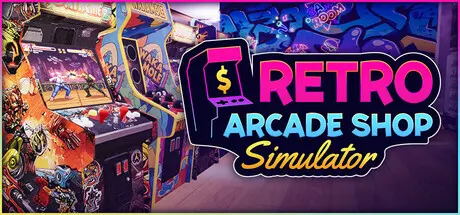
Friday at 07:38 PM3 days Retro Arcade Shop Simulator Game DetailsRelease Name: Retro Arcade Shop SimulatorGame Version: Build 25114712Release Date: 4 Sep, 2026Publisher: Ultimate Publishing, Ultimate Games S.A., PlayWay S.A.Developer: Alt Tab GameBased On: CSF & GoldbergRetro Arcade Shop Simulator Direct Download - Game OverviewBuild and manage your ultimate retro arcade! Buy classic Arcade Machines, Galaxy Pinball, and Gift Claw games, or invest in Cinema 8D, Go-Karts, and Racing Simulators. Manage the economy, hire staff, and keep every machine running!Step into the neon-lit world of the past and build the ultimate entertainment center in Retro Arcade Shop Simulator. Start with a humble, dusty venue and gradually transform it into a booming, large-scale arcade business. Buy nostalgic arcade cabinets, organize your floor plan to maximize customer flow, and watch the tokens roll in. Whether you want to recreate a cozy 80s hangout spot or build a massive, multi-room gaming paradise, you have the tools to bring your retro tycoon dreams to life.Growing your business takes more than plugging in a few machines. You’ll need to manage a token economy across four different currencies, watch your hourly income, and take out bank loans to fund your expansions.Unlock up to 10 unique rooms and fill them with a variety of attractions. Offer your customers classic Air Hockey, Pinball, and Whack-A-Mole, or invest in high-end Plane Simulators, Bowling Alleys, Go-Kart tracks, and immersive 8D Cinemas. When crowds get overwhelming, hire cashiers, cafeteria workers, and token collectors so no customer ever waits in line.Make the arcade truly yours with deep interior customization. Choose from dozens of wall and floor textures, add vibrant graffiti murals, and set the perfect mood with neon lighting, signs, and decorative plants. You’ll also need to keep your customers fueled by managing a cafeteria - serve burgers, pour drinks, and sell gaming magazines or CDs to maximize your daily profits.Heavy use takes its toll. Cabinets break down, screens go dark, and a dead machine is a machine that isn't making you money. Service and repair your hardware, mop the floors, empty the token boxes, and keep the whole venue in working order. Do it all yourself to save money in the early days, then hire repairmen and cleaners once the crowds get too big to handle alone. Blend relaxing business progression with an unforgettable nostalgic atmosphere and become the ultimate arcade tycoon!Build Your Arcade EmpireExpand from a small shop into a massive entertainment center by unlocking 10 distinct rooms.Over 25 Unique Machines & AttractionsBuild your dream venue with 28 distinct types of entertainment, ranging from classic Arcade Cabinets, Pinball, and Whack-A-Mole to high-end Plane Simulators, Go-Karts, and 8D CinemasService & RepairMachines wear down with use. Keep them serviced and repaired, mop the floors, and collect the tokens to keep your arcade profitable.Deep Economy ManagementNavigate a complex financial system with 4 token types, hourly income tracking, and multi-tier bank loans.Automate with StaffHire and manage cashiers, cafeteria workers, repairmen, cleaners, and token collectors to keep your business running smoothly.Extensive CustomizationPersonalize your venue with 26 wall textures, 17 floor types, custom lighting, posters, neon signs, and decorative plants.Run a CafeteriaKeep gamers fueled by serving snacks and drinks, and boost your profits by selling video games, comics, and magazines.Retro Arcade Shop Simulator Screenshots Retro Arcade Shop Simulator TrailerRetro Arcade Shop Simulator System RequirementsMinimum RequirementsRecommended RequirementsOSWindows 10 (64-bit)Windows 11 (64-bit)ProcessorIntel Core i3-14100F or AMD Ryzen 5 5560UIntel Core i5-12600K or AMD Ryzen 5 7600XMemory8 GB RAM16 GB RAMGraphicsNVIDIA GeForce GTX 1060 or AMD Radeon RX 5600NVIDIA GeForce RTX 2070 Super or AMD Radeon RX 6600 XTDirectXVersion 11Version 11Storage8 GB available space8 GB available spaceHow to Install Retro Arcade Shop SimulatorNo Installation Needed: The game is pre-installed. Just download and extract.Extract: Right-click the .zip or .rar file and select "Extract Here" or "Extract to folder".Run: Find Retro Arcade Shop Simulator.exe inside the folder and run it.Game Data & SettingsChange Language: Edit the file located at steam_settings/Configs.user.iniSave Data Location: %USERPROFILE%/AppData/LocalLow/Alt Tab Game Studio/Retro Arcade Shop SimulatorImportant NotesTo support the Game Developer, Get It On Steam.🔥DOWNLOAD AREA🔥🔹809 MB🔹Select the server you want to download with ZeiLink.Download





Create an account or sign in to comment