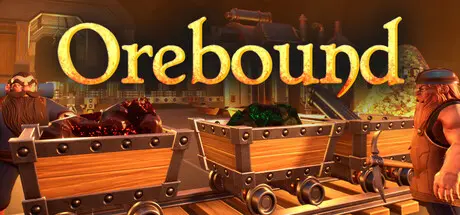
July 23Jul 23 Orebound Game DetailsRelease Name: OreboundGame Version: v0.0.0.71y | Build 22947883Release Date: 24 Oct, 2024Publisher: EmberforgeDeveloper: EmberforgeBased On: CSF & GoldbergOrebound Direct Download - Game OverviewOrebound is a voxel, factory, automation game set in a first person open-world. Explore the vast mountain ranges before you, or journey deep into the Earth to find the ultimate Dwarven prize – the Emberstone. Lost in the depths of time, the King has tasked you to scour the mountains to find its location. Using your Dwarven prowess and knowledge to mine, craft and automate through anything standing in your way. Build up or dig down! How far will you go?Journey down into the Earth to discover precious metals and resources to create your very own Dwarven mining fortress! Use your newly found building blocks to upgrade your tools and craft runes to enhance your efficiency. The deeper you go, the rarer the materials but who knows what else you’ll find in the depths of the planet.Use your salvage to create huge automated factories to bring you a constant stream of blocks. Construct Dwarven drill rigs to mine out the mammoth crystal veins, use belts to connect your machines and refine your ores! Reach the heights of automation technology and live out your Dwarven dreams.⛏️ Voxel: Explore massive procedurally generated voxel landscapes; dig far and wide to search for ores all over (and under) the ends of the Earth.🔨 Craft: Craft a multitude of dwarven items to help you dig deep into the mountains!🔧 Automate: Build machines to mine and craft items to help you reach your goals!🌍 Open World: Vast procedurally generated landscapes for you to explore.Orebound Screenshots Orebound TrailerOrebound System Requirements Minimum RequirementsRecommended Requirements OSWin 10 or laterWin 10 or later ProcessorIntel i5 or AMD equivalent 9th genIntel i7 or AMD equivalent 11th gen Memory16 GB RAM32 GB RAM Graphics1050ti or higher and AMD equivalentGeforce 980ti or RX 5600 XT or higher DirectXVersion 12Version 12 Storage6 GB available space6 GB available space How to Install OreboundNo Installation Needed: The game is pre-installed. Just download and extract.Extract: Right-click the .zip or .rar file and select "Extract Here" or "Extract to folder".Run: Find Orebound.exe inside the folder and run it.Multiplayer & Online (Optional)Play Online: Download the Online Fix file and apply it to the game folder.Game Data & SettingsChange Language: Edit the file located at steam_settings/Configs.user.iniSave Data Location: %USERPROFILE%/AppData/Local/OreBound/Saved/SaveGamesImportant NotesTo support the Game Developer, Get It On Steam.🔥DOWNLOAD AREA🔥🔹5.60 GB🔹Select the server you want to download with ZeiLink.DownloadOrebound Online Fix - (RAR pass: zeigames.com)





Create an account or sign in to comment