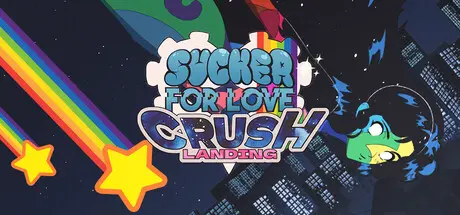
Friday at 01:57 AM4 days Sucker for Love: Crush Landing Game DetailsRelease Name: Sucker for Love: Crush LandingGame Version: v1.00.2.6 | Build 25103136Release Date: 31 Aug, 2026Publisher: Black Lantern CollectiveDeveloper: AkabakaBased On: CSF & GoldbergSucker for Love: Crush Landing Free Download - Game OverviewA comet has crash-landed in the middle of your living room! You feel its sinister pull, begging you to feed it… Against your better judgement, you give in to Hheily, a sentient comet who can shapeshift into anything– including a hot babe!Though she may have a gentle nature, she hasn’t come to your planet by accident. What are you willing to sacrifice to win a kiss from the steamiest chick this side of the galaxy?You’re not the only one who feels Hheily’s call: plants grow wild, colors around you intensify, and animals mutate. Her presence soon draws unwanted visitors that are desperate to feel the heat of her flame– at any cost. Worse yet, something malevolent from beyond space and time has followed her trail, lurking in the encroaching darkness.Left without the energy to sustain herself, Hheily asks you to feed her flame and save the planet. But are you up to the task of blazing Hheily back to full strength before her fire is snuffed out? Can you win the heart of the girl who's shown you that reality is more than meets the eye?Gripping story of lovecraftian horror, comedy, and romance, based on H.P. Lovecraft’s The Color out of Space and Clark Ashton Smith’s The City of the Singing FlameSolve colorful puzzles and discover multiple endings based on your actionsExperience thousands of lines of fully-voiced, story-rich dialogueTake in lovingly hand-crafted music and artwork made in the classic style of old-school anime and visual novelsThe apartment where it all started– now re-imagined in 360-degree, hand-drawn 2D environments We really, really promise there's no horror in this oneSucker for Love: Crush Landing Screenshots Sucker for Love: Crush Landing TrailerSucker for Love: Crush Landing System RequirementsMinimum RequirementsRecommended RequirementsOSWindows 10-Processor--Memory4 GB RAM-Graphics--DirectX--Storage--How to Install Sucker for Love: Crush LandingNo Installation Needed: The game is pre-installed. Just download and extract.Extract: Right-click the .zip or .rar file and select "Extract Here" or "Extract to folder".Run: Find SfL_CooS_2026.exe inside the folder and run it.Game Data & SettingsChange Language: Edit the file located at steam_settings/Configs.user.iniSave Data Location: %USERPROFILE%/AppData/Local/SfL_CooS_2026\efs_data\Important NotesTo support the Game Developer, Get It On Steam.🔥DOWNLOAD AREA🔥🔹1.23 GB🔹Select the server you want to download with ZeiLink.Download





Create an account or sign in to comment