



Skip to content
View in the app

A better way to browse. Learn more.

ZeiGames

A full-screen app on your home screen with push notifications, badges and more.

To install this app on iOS and iPadOS
  1. Tap the Share icon in Safari
  2. Scroll the menu and tap Add to Home Screen.
  3. Tap Add in the top-right corner.
To install this app on Android
  1. Tap the 3-dot menu (โ‹ฎ) in the top-right corner of the browser.
  2. Tap Add to Home screen or Install app.
  3. Confirm by tapping Install.

The Gold River Project Free Download (Build 23405759 + Online)
Featured Replies

header.webp

Game Details

Release Name:ย The Gold River Project

Game Version:ย Build 23405759

Release Date: 23 Jan, 2026

Publisher: Fairview Games Inc., Sightline Games

Developer: Fairview Games Inc.

Based On:ย CSF & Goldberg

The Gold River Project Direct Download - Game Review

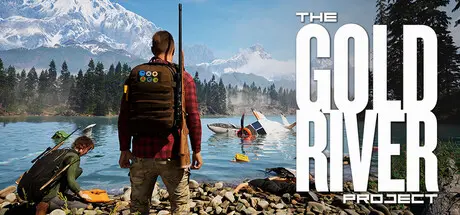
The Gold River Projectโ„ข throws you and your friends on an epic camping survival adventure! Try to escape a grueling experiment across one of the largest private nature reserves in the Pacific Northwest. You are being watched, studied and manipulated at every turn. Solve the mysteries within and try to survive another day.ย Players logging 100+ hours are still finding new points of interest, lore, and content, and the game is still growing.

FEATURES

  • Replayability:ย Substations, supplies and points of interestย  - these locations change with each new play through.

  • Base Building:ย Craft and expand your campsite to prepare for what's to come.

  • Puzzles, Stealth or Discovery:ย There is more than one way out of this experiment.

  • Crafting:ย Craft and Build campsite essentials, weapons, farm plots and more to help you stay alive!

  • Multiplayer: Survive by yourself or with friends in online co-op!

  • Learn: Discover new things to craft from items you find or from trade.

  • Scavenge: All items are all useful, it's up t๏ปฟo you to figure it out how.

  • Progress: Play at your own pace. No time restrictions. Prepare accordingly for upcoming challenges.

  • Engine: Built in Unreal Engine 5.4.4 upgrading to 5.7.4 summer 2026


Game Screenshots

screenshot screenshot screenshot screenshot


Game Trailer


System Requirements

Minimum Requirements

Recommended Requirements

OS

Windows 10 (64-bit versions)

Windows 11

Processor

Intel Core i7-4790 / AMD Ryzen 5 3600X 6-core or better

Intel Core i7 8700K / AMD Ryzen 5 3600X 6-core or better

Memory

16 GB RAM

32 GB RAM

Graphics

NVIDIA RTX 2080 Ti 11GB / AMD Radeon 6750 XT or better

NVIDIA RTX 3080 10GB / AMD Radeon 6800 XT

DirectX

Version 12

Version 12

Storage

62 GB available space

62 GB available space


Installation Guide

  1. No Installation Needed: The game is pre-installed. Just download and extract.

  2. Extract: Right-click the .zip or .rar file and select "Extract Here" or "Extract to folder".

  3. Run: Find GoldRiver_V4.exe inside the folder and run it.

Multiplayer & Online (Optional)

  • Play Online: Download the Online Fix file and apply it to the game folder.

  • Please go to the online fix page and read the guide.

Game Data & Settings

  • Change Language: Edit the file located at steam_settings/Configs.user.ini

  • Save Data Location: %USERPROFILE%/AppData/Local/\GoldRiver_V4\Saved\SaveGames\

Important Notes

๐Ÿ”ฅDOWNLOAD AREA๐Ÿ”ฅ

๐Ÿ”น61.18 GB๐Ÿ”น

Select the server you want to download with ZeiLink.

Download

Online Fix - (RAR pass: rexagames.com)

  • DicDale changed the title to The Gold River Project Free Download (Build 23135474 + Online)
  • Replies 1
  • Views 3.9k
  • Created
  • Last Reply

Top Posters In This Topic

Posted Images

  • DicDale changed the title to The Gold River Project Free Download (Build 23405759 + Online)

Create an account or sign in to comment

Recently Browsing 0

  • No registered users viewing this page.

Account

Navigation

Search

Search

๐Ÿ”Ž Search Tip
For exact results, search using "game name" .
Without quotes, results may include unrelated titles.

Configure browser push notifications

Chrome (Android)
  1. Tap the lock icon next to the address bar.
  2. Tap Permissions โ†’ Notifications.
  3. Adjust your preference.
Chrome (Desktop)
  1. Click the padlock icon in the address bar.
  2. Select Site settings.
  3. Find Notifications and adjust your preference.