



Theme
Language

Layout
Skip to content
View in the app

A better way to browse. Learn more.

ZeiGames

A full-screen app on your home screen with push notifications, badges and more.

To install this app on iOS and iPadOS
  1. Tap the Share icon in Safari
  2. Scroll the menu and tap Add to Home Screen.
  3. Tap Add in the top-right corner.
To install this app on Android
  1. Tap the 3-dot menu (โ‹ฎ) in the top-right corner of the browser.
  2. Tap Add to Home screen or Install app.
  3. Confirm by tapping Install.

EXPEDITION TO THE BACKROOMS (Build 23857258 + Online)
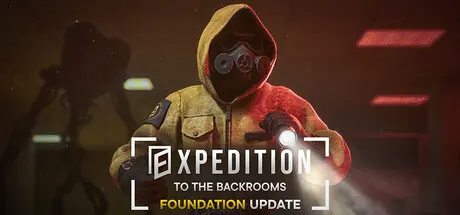
EXPEDITION TO THE BACKROOMS

Featured Replies

EXPEDITION TO THE BACKROOMS cover art

EXPEDITION TO THE BACKROOMS Game Details

Release Name:ย EXPEDITION TO THE BACKROOMS

Game Version:ย Build 23857258

Release Date: 20 Jul, 2025

Publisher: 1_Cutter_1

Developer: 1_Cutter_1

Based On:ย CSF & Goldberg

EXPEDITION TO THE BACKROOMS Direct Download - Game Overview

EXPEDITION TO THE BACKROOMS is an atmospheric exploration game focused on wandering through quiet, unsettling environments.

Inspired by the Backrooms internet horror phenomenon, the game takes players through strange and isolated spaces hidden beyond reality. Explore abandoned office areas, flooded complexes, and other unnatural environments connected by the endless maze of the Backrooms.

Explore a variety of large-scale locations with distinct visual styles, atmosphere and gameplay.

Each area offers its own sense of scale, isolation, and mystery, ranging from familiar office spaces to surreal and impossible architecture.

Built with a strong focus on lighting, materials, scale, and immersive sound design.

Experience detailed liminal environments designed to feel quiet, believable, and deeply unsettling.

You are not alone inside the Backrooms.

The game currently features 3 entities with different behaviors. Some may ignore your presence, while others react to movement, sound, or exploration.

Play as part of an PhaseSync research expedition investigating anomalous locations connected to the Backrooms.

Discover abandoned equipment, traces of previous expeditions, and evidence that something went wrong long before your arrival.

Explore the Backrooms alone or together with other players.

Work together to navigate unfamiliar spaces, search for clues, and survive encounters inside the anomaly.


EXPEDITION TO THE BACKROOMS Screenshots

EXPEDITION TO THE BACKROOMS screenshot 1 EXPEDITION TO THE BACKROOMS screenshot 2 EXPEDITION TO THE BACKROOMS screenshot 3 EXPEDITION TO THE BACKROOMS screenshot 4


EXPEDITION TO THE BACKROOMS Trailer


EXPEDITION TO THE BACKROOMS System Requirements

Minimum Requirements

Recommended Requirements

OS

Windows 8 / 10 / 11 - 64 bit

Windows 8 / 10 / 11 - 64 bit

Processor

Intelยฎ Coreโ„ข i5-8600 / AMD Ryzenโ„ข 5 2600

Intelยฎ Coreโ„ข i7-9700K / AMD Ryzenโ„ข 5 3600X

Memory

8 GB RAM

8 GB RAM

Graphics

NVIDIAยฎ GeForceยฎ GTX 1060 6GB / AMD Radeonโ„ข RX 5700 8GB

NVIDIAยฎ GeForceยฎ RTX 2070 / AMD Radeonโ„ข RX 6800

DirectX

-

-

Storage

10 GB available space

10 GB available space


How to Install EXPEDITION TO THE BACKROOMS

  1. No Installation Needed: The game is pre-installed. Just download and extract.

  2. Extract: Right-click the .zip or .rar file and select "Extract Here" or "Extract to folder".

  3. Run: Find BackRooms.exe inside the folder and run it.

Multiplayer & Online (Optional)

  • Play Online: Download the Online Fix file and apply it to the game folder.

  • Please go to the online fix page and read the guide.

Game Data & Settings

  • Change Language: Edit the file located at steam_settings/Configs.user.ini

Important Notes

๐Ÿ”ฅDOWNLOAD AREA๐Ÿ”ฅ

๐Ÿ”น7.83 GB๐Ÿ”น

Select the server you want to download with ZeiLink.

Download

Online Fix

  • Views 1k
  • Created
  • Last Reply

Posted Images

Create an account or sign in to comment

Recently Browsing 0

  • No registered users viewing this page.

Account

Navigation

Search

Search

๐Ÿ”Ž Search Tip
For exact results, search using "game name" .
Without quotes, results may include unrelated titles.

Configure browser push notifications

Chrome (Android)
  1. Tap the lock icon next to the address bar.
  2. Tap Permissions โ†’ Notifications.
  3. Adjust your preference.
Chrome (Desktop)
  1. Click the padlock icon in the address bar.
  2. Select Site settings.
  3. Find Notifications and adjust your preference.
