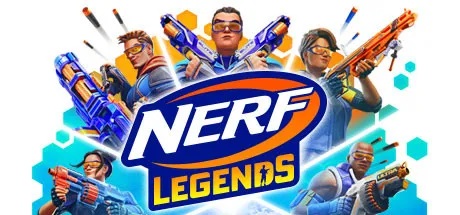
September 1Sep 1 Nerf Legends Game DetailsRelease Name: Nerf LegendsGame Version: Build 8513540Release Date: 19 Nov, 2021Publisher: GameMill EntertainmentDeveloper: FUN labs Romania S.R.L.Based On: CSF & GoldbergNerf Legends Direct Download - Game OverviewNERF Legends thrusts you into a futuristic, sci-fi world where you’ll come face-to-face with legions of robot enemies and ultimate boss masters. Armed with a wide array of NERF blasters based on their iconic, real-world counterparts, you’ll thwart formidable enemies while being challenged to pull off the most impressive high-flying trick shots across a series of unique and immersive environments. Are your NERF skills up to the challenge to become the ultimate NERF Legend?• Set in out-of-this-world locations such as Fortress Siege, Jungle Trouble, Ragnarok Showdown, and Spaceport Blastoff!• 15 Authentic NERF basters across the Mega, Ultra and Elite lines! Plus upgradable perks & skins to customize your blaster!• Collect dart powerups such as magnetic push, magnetic pull, seeker darts, and slow to change the tide of battles!• Enter the gauntlet and go face-to-face against a wide variety of blaster-wielding robots and Nerf Masters• Use accelerators and trampolines to bounce and fly across the world!• Use blasters to solve unique puzzles and challenges• Earn top rewards by beating the Nerf courses• 4 vs 4 team play or 8 player free-for-all with online multiplayer modes• Use the character creator to customize your avatar!Nerf Legends Screenshots Nerf Legends TrailerNerf Legends System RequirementsMinimum RequirementsRecommended RequirementsOSWindows 10-ProcessorCore i5 3 GHzCore i7 3.5 GHzMemory4 GB RAM16 GB RAMGraphicsNVIDIA GeForce GTX 660NVIDIA GeForce GTX 1060DirectXVersion 10Version 12Storage10 GB available space10 GB available spaceHow to Install Nerf LegendsNo Installation Needed: The game is pre-installed. Just download and extract.Extract: Right-click the .zip or .rar file and select "Extract Here" or "Extract to folder".Run: Find ProjectDart/Binaries/Win64/ProjectDart.exe inside the folder and run it.Multiplayer & Online (Optional)Play Online: Download the Online Fix file and apply it to the game folder.Please go to the online fix page and read the guide.Game Data & SettingsChange Language: Edit the file located at steam_settings/Configs.user.iniDLC ListAdded DLCsNERF Legends - Mega Thunderhawk BlasterNERF Legends - Elite Blaster Combo PackNERF Legends - Stego-Smash PackNERF Legends - Rex-Rampage PackNERF Legends - Tricera-Blast PackAlpha Pack (Nerf Legends - Alpha Pack)🔥DOWNLOAD AREA🔥🔹9.01 GB🔹Select the server you want to download with ZeiLink.DownloadOnline Fix





Create an account or sign in to comment