



Theme
Language

Layout
Skip to content
View in the app

A better way to browse. Learn more.

ZeiGames

A full-screen app on your home screen with push notifications, badges and more.

To install this app on iOS and iPadOS
  1. Tap the Share icon in Safari
  2. Scroll the menu and tap Add to Home Screen.
  3. Tap Add in the top-right corner.
To install this app on Android
  1. Tap the 3-dot menu (โ‹ฎ) in the top-right corner of the browser.
  2. Tap Add to Home screen or Install app.
  3. Confirm by tapping Install.

The Flame in the Flood Free Download (Build 6282434 + Backer Rewards I DLC)
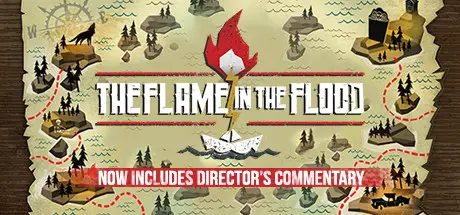
The Flame in the Flood

Featured Replies

The Flame in the Flood cover art

The Flame in the Flood Game Details

Release Name:ย The Flame in the Flood

Game Version:ย Build 6282434

Release Date: 24 Feb, 2016

Publisher: CD PROJEKT RED

Developer: The Molasses Flood

Based On:ย CSF & Goldberg

The Flame in the Flood Direct Download - Game Overview

A rogue-like river journey through the backwaters of a forgotten post-societal America. Forage, craft, evade predators.

From the Art Director of BioShock and a team of veterans of the BioShock, Halo, Guitar Hero and Rock Band series comes The Flame in the Flood.

Travel by foot and by raft down a procedurally-generated river as you scrounge for resources, craft tools, remedy afflictions, evade the vicious wildlife, and most importantly, stay ahead of the coming rains.


The Flame in the Flood Screenshots

The Flame in the Flood screenshot 1 The Flame in the Flood screenshot 2 The Flame in the Flood screenshot 3 The Flame in the Flood screenshot 4


The Flame in the Flood Trailer


The Flame in the Flood System Requirements

Minimum Requirements

Recommended Requirements

OS

Windows 7 64 bit (requires 64 bit OS)

Windows 7 64 bit (requires 64 bit OS)

Processor

Dual Core Processor, 2.5 GHz or higher

Dual Core Processor, 2.5 GHz or higher

Memory

4 GB RAM

4 GB RAM

Graphics

DX11 compatible video card

DirectX

Version 11

Version 11

Storage

2 GB available space

2 GB available space


How to Install The Flame in the Flood

  1. No Installation Needed: The game is pre-installed. Just download and extract.

  2. Extract: Right-click the .zip or .rar file and select "Extract Here" or "Extract to folder".

  3. Run: Find RiverGame.exe inside the folder and run it.

Game Data & Settings

  • Change Language: Edit the file located at steam_settings/Configs.user.ini

  • Save Data Location: %USERPROFILE%/AppData/Local/RiverGame/Saved/SaveGames

Important Notes

DLC List

Added DLCs

The Flame in the Flood - Backer Rewards I

๐Ÿ”ฅDOWNLOAD AREA๐Ÿ”ฅ

๐Ÿ”น1.60 GB๐Ÿ”น

Select the server you want to download with ZeiLink.

Download

  • Replies 1
  • Views 351
  • Created
  • Last Reply

Top Posters In This Topic

Posted Images

Create an account or sign in to comment

Recently Browsing 0

  • No registered users viewing this page.

Account

Navigation

Search

Search

๐Ÿ”Ž Search Tip
For exact results, search using "game name" .
Without quotes, results may include unrelated titles.

Configure browser push notifications

Chrome (Android)
  1. Tap the lock icon next to the address bar.
  2. Tap Permissions โ†’ Notifications.
  3. Adjust your preference.
Chrome (Desktop)
  1. Click the padlock icon in the address bar.
  2. Select Site settings.
  3. Find Notifications and adjust your preference.
