



Theme
Language

Layout
Skip to content
View in the app

A better way to browse. Learn more.

ZeiGames

A full-screen app on your home screen with push notifications, badges and more.

To install this app on iOS and iPadOS
  1. Tap the Share icon in Safari
  2. Scroll the menu and tap Add to Home Screen.
  3. Tap Add in the top-right corner.
To install this app on Android
  1. Tap the 3-dot menu (โ‹ฎ) in the top-right corner of the browser.
  2. Tap Add to Home screen or Install app.
  3. Confirm by tapping Install.

Symptoms of Infection Free Download (Build 24049917)
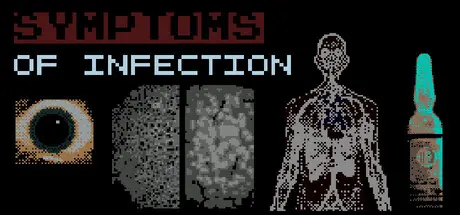
Symptoms of Infection

Featured Replies

Symptoms of Infection cover art

Symptoms of Infection Game Details

Release Name:ย Symptoms of Infection

Game Version:ย Build 24049917

Release Date: 28 Jun, 2026

Publisher: ORB Research & Broadcasting

Developer: ORB Research & Broadcasting

Based On:ย CSF

Symptoms of Infection Direct Download - Game Overview

The soft-ware initially presents information about SYMPTOMS OF INFECTION.

This presentation is crucial to approach the initial phase of DIAGNOSIS, TESTING and DISPOSITION:

During DIAGNOSIS,

  • Examine the patient visually

  • Interview them

  • Run tests

During TESTING,

  • Allow the LAM-ORB Mainframe to process tests

  • Initially users of the soft-ware will be of low-priority to the Mainframe

  • You may request to EXPEDITE processing to the Mainframe, every click counts

During DISPOSITION,

  • Make sure you identify all SYMPTOMS OF INFECTION

  • Make sure you indicate the finding of infectiousย patterns or pathogens in the tests

ATTENTION: Some patients may present comorbidities or symptoms that not necessesarily represent an underlying disease.

Every and all infected patients, no matter the nature of their infection, must be held in the ISOLATION WARDย for further evaluation and treatment.

While common infections like bacterial ones are widely understood and well-know across both the medical field and the world population, some infectious pathogens and diseases remain unknown.

And while the discovery of new pathogens and diseases is by itself of major relevance to public healthcare; a small fraction of unknown, sometimes horrifying, infectious pathogens and diseases are studied in the background by both public and private institutions like LAM-ORB.

When the ISOLATION WARD reaches full capacity, a DISINFECTION PROCEDUREย is scheduled. Full information of the disease and treatment indications are given, and the procedure is performed on the patient.

The soft-ware tries to emulate as close as possible the experience, technology, and findings of the LAM-ORB organization's research during the 1970s. Rumors about the reason of the sudden disappearance of the organization include human experimentation, chimeric pathogen development, and secret medical research.


Symptoms of Infection Screenshots

Symptoms of Infection screenshot 1 Symptoms of Infection screenshot 2 Symptoms of Infection screenshot 3 Symptoms of Infection screenshot 4


Symptoms of Infection Trailer


Symptoms of Infection System Requirements

Minimum Requirements

Recommended Requirements

OS

Windows 10

-

Processor

Intel i3

-

Memory

8 GB RAM

-

Graphics

GPU

-

DirectX

-

-

Storage

10 MB available space

-


How to Install Symptoms of Infection

  1. No Installation Needed: The game is pre-installed. Just download and extract.

  2. Extract: Right-click the .zip or .rar file and select "Extract Here" or "Extract to folder".

  3. Run: Find lam-orb.exe inside the folder and run it.

Important Notes

๐Ÿ”ฅDOWNLOAD AREA๐Ÿ”ฅ

๐Ÿ”น1 MB๐Ÿ”น

Select the server you want to download with ZeiLink.

Download

  • Views 136
  • Created
  • Last Reply

Posted Images

Create an account or sign in to comment

Recently Browsing 0

  • No registered users viewing this page.

Account

Navigation

Search

Search

๐Ÿ”Ž Search Tip
For exact results, search using "game name" .
Without quotes, results may include unrelated titles.

Configure browser push notifications

Chrome (Android)
  1. Tap the lock icon next to the address bar.
  2. Tap Permissions โ†’ Notifications.
  3. Adjust your preference.
Chrome (Desktop)
  1. Click the padlock icon in the address bar.
  2. Select Site settings.
  3. Find Notifications and adjust your preference.
