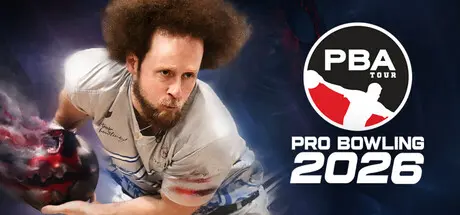
December 27, 2025Dec 27 PBA Pro Bowling 2026 Game DetailsRelease Name: PBA Pro Bowling 2026Game Version: v1.2.0 | Build 21291748Release Date: 19 Dec, 2025Publisher: FarSight StudiosDeveloper: FarSight StudiosBased On: CSF & GoldbergPBA Pro Bowling 2026 Direct Download - Game OverviewPBA Pro Bowling 2026 is a skill driven bowling simulation with authentic ball motion, real oil patterns, and evolving lane conditions. From your first local leagues to competing with the pros, every throw comes down to strategy and execution.Realistic ball motion shaped by oil patterns, lane friction, and simulation grade physicsOil pattern breakdown and carrydown change ball reaction over timeAdjust line, speed, rev rate, and ball choice as conditions evolveProgress through a full single player career, starting in local leagues and advancing to the PBA TourBuild your ball arsenal from 270+ officially licensed bowling ballsCustomize your bowler with a full character creator and 120+ apparel items to collectTraditional Tenpin bowling alongside Candlepin and Duckpin bowlingSkill focused challenges like Strike Derbies, Spare Pickup Challenges, No Tap, and Oil Pattern RouletteDesigned for practice, competition, and masteryCompete against over 30 licensed PBA professionalsBowl across 13 unique venues inspired by real and imaginative locationsBroadcast style presentation and commentary from the TV broadcast team of Rob Stone and Hall of Famer Randy Pedersen enhances the professional atmosphereCompete in online multiplayer with friends and rivals around the worldBowl with or against up to 4 friends in couch local multiplayerPBA Pro Bowling 2026 Screenshots PBA Pro Bowling 2026 TrailerPBA Pro Bowling 2026 System Requirements Minimum RequirementsRecommended Requirements OS64-bit Windows 1064-bit Windows 11 ProcessorIntel i5 2500K or AMD FX-8350Intel i5 12600 or AMD Ryzen 3600X Memory8 GB RAM16 GB RAM GraphicsNvidia GeForce GTX 1060 or AMD RX 580Nvidia GeForce RTX 2080 or AMD RX 6800 DirectXVersion 12Version 12 Storage40 GB available space40 GB available space How to Install PBA Pro Bowling 2026No Installation Needed: The game is pre-installed. Just download and extract.Extract: Right-click the .zip or .rar file and select "Extract Here" or "Extract to folder".Run: Find PBABowling4.exe inside the folder and run it.Game Data & SettingsChange Language: Edit the file located at steam_settings/Configs.user.iniSave Data Location: %USERPROFILE%/AppData/Local/PBABowling4/Saved/SaveGamesImportant NotesTo support the Game Developer, Get It On Steam.🔥DOWNLOAD AREA🔥🔹12.52 GB🔹Select the server you want to download with ZeiLink.Download





Create an account or sign in to comment