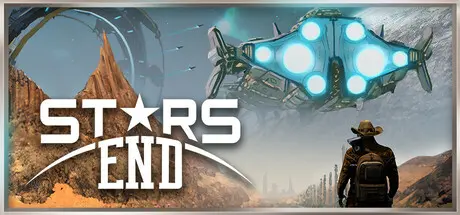
August 26Aug 26 Stars End Game DetailsRelease Name: Stars EndGame Version: v0.95 | Build 13094949Release Date: 8 Jan, 2023Publisher: indie.ioDeveloper: Reverie World StudiosBased On: CSF & GoldbergStars End Direct Download - Game OverviewStars End is a player-hosted/solo sci-fi survival sandbox set hundreds of years in the future, in a star system colonized by humans escaping a dying Earth. What was meant to be a second chance has become a lawless frontier — a place where every scrap, bullet, and building must be earned.Out here, you’ll wrangle resources from dangerous planets, fend off alien wildlife (watch out for bears), and build your own base — be it a frontier shack or a fortified space station. Explore procedurally generated worlds on foot, horseback, or by starship, then blast into orbit and continue the fight in space.Play solo or host your own server as you stake a claim in a persistent galaxy where survival is tough, but freedom is yours to take. Whether you're settling the land or raiding for loot, Stars End gives you the tools — and the grit — to shape your own path.Procedurally Generated Planets – Each world is unique, with varied biomes, threats, and resources to uncover.True Survival Experience – Battle alien wildlife, endure hostile environments, and scavenge for the materials needed to stay alive.Build Your Base, Your Way – Construct rugged cabins, fortified outposts, or advanced space stations with a deep crafting and construction system.PvE and PvP Combat – Engage in tense FPS-style battles against AI factions or rival survivors.Explore Land and Space – Traverse the terrain by vehicle or horse, then seamlessly launch into orbit aboard your personal starship.Solo or Player-Hosted Servers – Play alone, with friends, or open your world to others via custom servers.Persistent Open World – Build, explore, and take on story-driven missions across procedurally generated planets in a sci-fi sandbox.Stars End Screenshots Stars End TrailerStars End System RequirementsMinimum RequirementsRecommended RequirementsOSWindows 7+ 64 bitWindows 10 64 bitProcessorX64 Quad Core CPU, 2.4+ GHzX64 Quad Core CPU, 3+ GHzMemory8 GB RAM12 GB RAMGraphicsNVIDIA GeForce GTX 660 Ti / AMD Radeon R9 270xNVIDIA GeForce GTX 770 / AMD Radeon RX 470DirectXVersion 11Version 11Storage5 GB available space6 GB available spaceHow to Install Stars EndNo Installation Needed: The game is pre-installed. Just download and extract.Extract: Right-click the .zip or .rar file and select "Extract Here" or "Extract to folder".Run: Find Stars End.exe inside the folder and run it.Important NotesTo support the Game Developer, Get It On Steam.🔥DOWNLOAD AREA🔥🔹3.82 GB🔹Select the server you want to download with ZeiLink.Download
August 28Aug 28 It's a really good game, provided you don't mind characters who move stiffly, like they've got arthritis... lol—just kidding; for its time, it was good! 👍SuphitSam





Create an account or sign in to comment