



Theme
Language

Layout
Skip to content
View in the app

A better way to browse. Learn more.

ZeiGames

A full-screen app on your home screen with push notifications, badges and more.

To install this app on iOS and iPadOS
  1. Tap the Share icon in Safari
  2. Scroll the menu and tap Add to Home Screen.
  3. Tap Add in the top-right corner.
To install this app on Android
  1. Tap the 3-dot menu (โ‹ฎ) in the top-right corner of the browser.
  2. Tap Add to Home screen or Install app.
  3. Confirm by tapping Install.

Conrad Stevenson's Paranormal P.I. Free Download (v1.00.009)
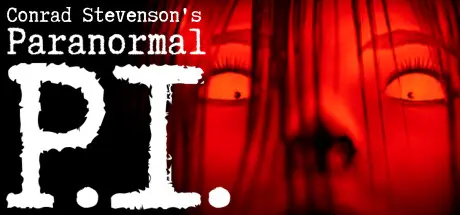
Conrad Stevenson's Paranormal P.I.

Featured Replies

Conrad Stevenson's Paranormal P.I. cover art

Conrad Stevenson's Paranormal P.I. Game Details

Release Name:ย Conrad Stevenson's Paranormal P.I.

Game Version:ย v1.00.009 | Build 13554186

Release Date: 28 Sep, 2023

Publisher: D&A Studios

Developer: D&A Studios

Based On:ย CSF & Goldberg

Conrad Stevenson's Paranormal P.I. Direct Download - Game Overview

Conrad Stevensonโ€™s Paranormal P.I. is a first-person single player ghost hunting simulation. Which takes an honest approach at paranormal investigating, rewarding players who are patient and methodical.


Gear up with tools paranormal investigators use in real life and become the overly chill paranormal investigator, Conrad. He just recently bought an office in his hometown of New Eidolon, hoping to find success with his craft.


Explore haunted locations within the various locations and slowly obtain evidence of Paranormal Activity. As you successfully complete investigations, more clients will reach out to you wanting your help with their paranormal concerns. Each location has a past and multiple unique ghosts haunting it. To be successful, not only will you need to collect enough evidence to satisfy the property owners' concerns, but you must also learn about the ghosts' past and why they are still lingering.

After enough evidence has been obtained, the player will utilize Trigger Items to facilitate closure for the sprits. In the case of a Demon infestation, Conrad will exorcise the Demon from the location. Once this process has been completed, Conrad will put the Relic in his haunted museum, back at his office.

You can finalize your investigation at any time and head back to your office to regroup. It may take several trips to a location to obtain enough clues and evidence to fully investigate a place. Sometimes, Conradโ€™s first few trips to a location donโ€™t produce much evidence. Thatโ€™s ok, wrap up and try again another night.


Conrad Stevenson's Paranormal P.I. Screenshots

Conrad Stevenson's Paranormal P.I. screenshot 1 Conrad Stevenson's Paranormal P.I. screenshot 2 Conrad Stevenson's Paranormal P.I. screenshot 3 Conrad Stevenson's Paranormal P.I. screenshot 4


Conrad Stevenson's Paranormal P.I. Trailer


Conrad Stevenson's Paranormal P.I. System Requirements

Minimum Requirements

Recommended Requirements

OS

64-bit Windows 7, Windows 8, Windows 10

64-bit Windows 10

Processor

Intel Core i5-8400 / AMD Ryzen 3 3300X

Intel Core i7-8700K / AMD Ryzen 5 3600X

Memory

8 GB RAM

8 GB RAM

Graphics

NVIDIA GeForce GTX 1080 8GB / AMD Radeon RX VEGA 56 8GB

NVIDIA GeForce GTX 1080 8GB / AMD Radeon RX VEGA 56 8GB

DirectX

Version 11

Version 11

Storage

20 GB available space

20 GB available space


How to Install Conrad Stevenson's Paranormal P.I.

  1. No Installation Needed: The game is pre-installed. Just download and extract.

  2. Extract: Right-click the .zip or .rar file and select "Extract Here" or "Extract to folder".

  3. Run: Find CSPPI.exe inside the folder and run it.

Game Data & Settings

  • Change Language: Edit the file located at steam_settings/Configs.user.ini

  • Save Data Location: %USERPROFILE%/AppData/Local/CSPPI/Saved/SaveGames

Important Notes

๐Ÿ”ฅDOWNLOAD AREA๐Ÿ”ฅ

๐Ÿ”น17.01 GB๐Ÿ”น

Select the server you want to download with ZeiLink.

Download

  • Views 50
  • Created
  • Last Reply

Posted Images

Create an account or sign in to comment

Recently Browsing 0

  • No registered users viewing this page.

Account

Navigation

Search

Search

๐Ÿ”Ž Search Tip
For exact results, search using "game name" .
Without quotes, results may include unrelated titles.

Configure browser push notifications

Chrome (Android)
  1. Tap the lock icon next to the address bar.
  2. Tap Permissions โ†’ Notifications.
  3. Adjust your preference.
Chrome (Desktop)
  1. Click the padlock icon in the address bar.
  2. Select Site settings.
  3. Find Notifications and adjust your preference.
