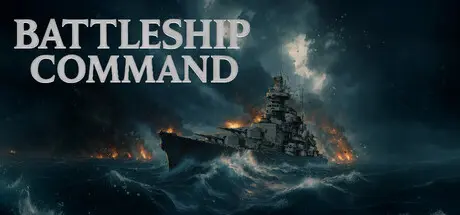
June 7Jun 7 Battleship Command Game DetailsRelease Name: Battleship CommandGame Version: v40c06436 | Build 23589904Release Date: 2 Jun, 2026Publisher: MicroProse SoftwareDeveloper: BracerBased On: CSFBattleship Command Direct Download - Game OverviewTake command of a 30,000-ton Scharnhorst-class battleship in this immersive World War II naval simulation.Explore the ship in first-person, walking its decks, bridges, and control rooms — all meticulously recreated from historical blueprints. Issue orders to your crew or take direct control of key stations, from gunnery and radar to navigation and damage control.Hunt down merchant convoys, disrupt Allied supply lines, and clash with enemy warships across the stormy Atlantic, icy Norwegian Sea, and sunlit Mediterranean. Dynamic weather, sudden fog, and a full day–night cycle can hide you from your enemies — or conceal them from you.Use authentic radar, rangefinders, and fire-control systems to track, target, and destroy your foes. Command an entire surface fleet of destroyers, cruisers, and battleships, coordinating maneuvers and tactics to outwit and overwhelm the enemy.• Authentic simulation of WWII naval gunnery and fire-control systems• Historically accurate 3D model of the Scharnhorst-class battleship• Expansive campaign areas covering Europe and North Africa• Single missions and scenarios — both historical and fictional• Quick and intuitive scenario editor• Realistic damage and flooding modelling• Dynamic ocean, weather, and lighting simulation• Living world with active convoys, patrols, and merchant trafficBattleship Command Screenshots Battleship Command TrailerBattleship Command System Requirements Minimum RequirementsRecommended Requirements OSWindows 10 or LaterWindows 10 or Later ProcessorIntel® Core™ i5Intel® Core™ i7 Memory8 GB RAM16 GB RAM GraphicsNVIDIA® GeForce RTX 2070 or AMD equivalentNVIDIA® GeForce RTX 4070 or AMD equivalent DirectX-- Storage15 GB available space15 GB available space How to Install Battleship CommandNo Installation Needed: The game is pre-installed. Just download and extract.Extract: Right-click the .zip or .rar file and select "Extract Here" or "Extract to folder".Run: Find Battleship Command.exe inside the folder and run it.Important NotesTo support the Game Developer, Get It On Steam.🔥DOWNLOAD AREA🔥🔹8.31 GB🔹Select the server you want to download with ZeiLink.Download





Create an account or sign in to comment