



Theme
Language

Layout
Skip to content
View in the app

A better way to browse. Learn more.

ZeiGames

A full-screen app on your home screen with push notifications, badges and more.

To install this app on iOS and iPadOS
  1. Tap the Share icon in Safari
  2. Scroll the menu and tap Add to Home Screen.
  3. Tap Add in the top-right corner.
To install this app on Android
  1. Tap the 3-dot menu (โ‹ฎ) in the top-right corner of the browser.
  2. Tap Add to Home screen or Install app.
  3. Confirm by tapping Install.

Project DeepWeb: Eternal Nightmare Free Download (v1.0.2)
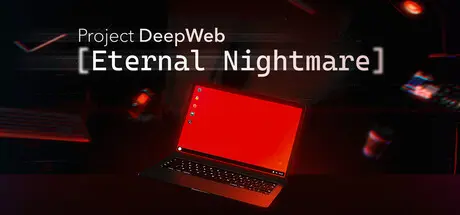
Project DeepWeb: Eternal Nightmare

Featured Replies

Project DeepWeb: Eternal Nightmare cover art

Project DeepWeb: Eternal Nightmare Game Details

Release Name:ย Project DeepWeb: Eternal Nightmare

Game Version:ย v1.0.2 | Build 24897369

Release Date: 17 Aug, 2026

Publisher: NightCat Studios

Developer: NightCat Studios

Based On:ย CSF & Goldberg

Project DeepWeb: Eternal Nightmare Direct Download - Game Overview

Project DeepWeb: Eternal Nightmare is a desktop-like adventure game about exploration of the Deep Internet, a sequel to Project DeepWeb.

Inspired by Internet lore and real netstalking experience, it tells a story of a person who got stuck in the wrong place at the wrong time.

Explore an endless, immersive world of the Deep Internet. Encounter blood-chilling stories, crazy people, and surreal websites โ€” each unique enough to stand as a piece of art on its own.

Use apps and utilities to explore and analyze the Deep Web. Some of them are installed by default, others must be obtained. With them, you will navigate the abyss you were thrown in.

Locked doors can be unlocked, encrypted text can be decrypted, and mysteries must be solved.

On a fracture of digital and real worlds. The only way to escape is to dive again into this bizarre and mysterious world of the Deep Internet. Everything you have is a laptop. With the weird operating system โ€” unfamiliar, yet essential for survival.


Project DeepWeb: Eternal Nightmare Screenshots

Project DeepWeb: Eternal Nightmare screenshot 1 Project DeepWeb: Eternal Nightmare screenshot 2 Project DeepWeb: Eternal Nightmare screenshot 3 Project DeepWeb: Eternal Nightmare screenshot 4


Project DeepWeb: Eternal Nightmare Trailer


Project DeepWeb: Eternal Nightmare System Requirements

Minimum Requirements

Recommended Requirements

OS

WIndows 10 21H1

-

Processor

Intel 8th Gen or AMD Ryzen 2nd Gen

-

Memory

8 GB RAM

-

Graphics

DX11 Compatible GPU

-

DirectX

Version 11

-

Storage

5 GB available space

-


How to Install Project DeepWeb: Eternal Nightmare

  1. No Installation Needed: The game is pre-installed. Just download and extract.

  2. Extract: Right-click the .zip or .rar file and select "Extract Here" or "Extract to folder".

  3. Run: Find Project DeepWeb Eternal Nightmare.exe inside the folder and run it.

Game Data & Settings

  • Change Language: Edit the file located at steam_settings/Configs.user.ini

  • Save Data Location: %USERPROFILE%/AppData/LocalLow/NightCat Studios/Project DeepWeb Eternal Nightmare

Important Notes

๐Ÿ”ฅDOWNLOAD AREA๐Ÿ”ฅ

๐Ÿ”น1.29 GB๐Ÿ”น

Select the server you want to download with ZeiLink.

Download

  • Views 46
  • Created
  • Last Reply

Posted Images

Create an account or sign in to comment

Recently Browsing 0

  • No registered users viewing this page.

Account

Navigation

Search

Search

๐Ÿ”Ž Search Tip
For exact results, search using "game name" .
Without quotes, results may include unrelated titles.

Configure browser push notifications

Chrome (Android)
  1. Tap the lock icon next to the address bar.
  2. Tap Permissions โ†’ Notifications.
  3. Adjust your preference.
Chrome (Desktop)
  1. Click the padlock icon in the address bar.
  2. Select Site settings.
  3. Find Notifications and adjust your preference.
