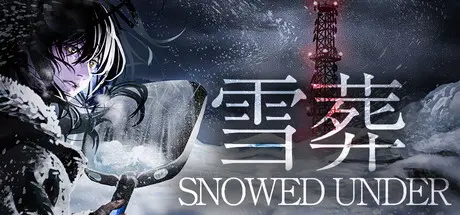
Friday at 03:14 PM4 days Snowed Under | 雪葬 Game DetailsRelease Name: Snowed Under | 雪葬Game Version: v1.11 | Build 24857290Release Date: 13 Aug, 2026Publisher: Chilla's ArtDeveloper: Chilla's ArtBased On: CSF & GoldbergSnowed Under | 雪葬 Direct Download - Game OverviewSnowed Under is a first-person game about shoveling snow in the mountains.Dig deeper and deeper through the snow.What will you find buried beneath it? Food? Buildings? Or something else entirely…?What happened in this place? What is about to happen? And what will you think when you uncover the truth…?Dig through the snow and make your way toward the steel tower. Keep moving forward. Keep digging.Use scrap materials found beneath the snow to upgrade your shovel and improve your digging efficiency.As you dig onward, you will reach various buildings buried in the snow. What waits inside them…?As the days pass, your conversations with Kai, your friend, will continue to unfold. What is Kai thinking? And what does the protagonist begin to feel?Snowed Under | 雪葬 Screenshots Snowed Under | 雪葬 TrailerSnowed Under | 雪葬 System RequirementsMinimum RequirementsRecommended RequirementsOSWindows 10 x64 or Above-ProcessorIntel® Core™ i5-6200 or Above-Memory4 GB RAM-GraphicsAMD RX550 or Above @1080p Ultra setting-DirectXVersion 11-Storage3 GB available space-How to Install Snowed Under | 雪葬No Installation Needed: The game is pre-installed. Just download and extract.Extract: Right-click the .zip or .rar file and select "Extract Here" or "Extract to folder".Run: Find SnowProjectexe inside the folder and run it.Game Data & SettingsChange Language: Edit the file located at steam_settings/Configs.user.iniImportant NotesTo support the Game Developer, Get It On Steam.🔥DOWNLOAD AREA🔥🔹971 MB🔹Select the server you want to download with ZeiLink.Download





Create an account or sign in to comment