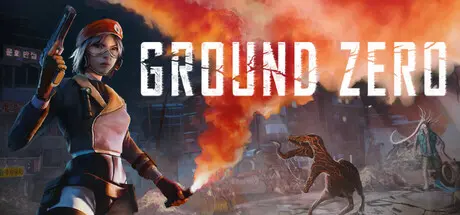
August 19Aug 19 Ground Zero Game DetailsRelease Name: Ground ZeroGame Version: Build 23190458Release Date: 16 Apr, 2026Publisher: KwaleeDeveloper: Malformation GamesBased On: CSF & GoldbergGround Zero Direct Download - Game OverviewA devastating meteor impact has wiped out South Korea. 2 months later as the dust and lightning storms settle and the air becomes breathable, an elite Korean operative and her Canadian partner are sent to investigate. What waits for them in the foggy remains is more terrifying than they ever could have imagined…Fight terrifying monsters that lurk in the dark corners of Busan, mutated by the fallout of the impact.Uncover the truth of what really hit Busan that day. What are these strange growths unravelling from the meteor impact, and why has it corrupted what little life remains in the aftermath?Explore a beautiful city in ruins, from shoreline towns and temples to the urban center.Defend yourself with an array of abilities; shoot, stab, kick and counter as an expert soldier trained in firearm and martial combat.Perfect your fighting skills and get rewarded. Cleaner kills means more Genome Points, which can be traded for powerful gear upgrades.Take on huge, terrifying bosses. Seo-Yeon has no idea just how bad the mutations can get in the heart of the city. Be prepared for anything.Relive the spirit of classic Survival Horror. Ground Zero captures the nostalgia of retro horror titles with fixed cameras and pre-rendered backgrounds, puzzles, custom difficulty and optional tank controls.Have fun with unlockables and extra content: alternate outfits, additional game modes and hidden endings await players curious enough to find them.Ground Zero Screenshots Ground Zero TrailerGround Zero System RequirementsMinimum RequirementsRecommended RequirementsOSWindows 10Windows 10ProcessorIntel Core i5 9th Generation / Ryzen 5 3600Intel Core i5 11th Generation / Ryzen 5 5600 XMemory8 GB RAM16 GB RAMGraphicsNVIDIA GeForce GTX 1060 (6 GB) or AMD Radeon RX 580 (8 GB)NVIDIA GeForce GTX 1660 Ti or AMD Radeon RX 5600 XTDirectX--Storage30 GB available space30 GB available spaceHow to Install Ground ZeroNo Installation Needed: The game is pre-installed. Just download and extract.Extract: Right-click the .zip or .rar file and select "Extract Here" or "Extract to folder".Run: Find GroundZero.exe inside the folder and run it.Game Data & SettingsChange Language: Edit the file located at steam_settings/Configs.user.iniSave Data Location: %USERPROFILE%/AppData/Local/GroundZero/Saved/SaveGamesImportant NotesTo support the Game Developer, Get It On Steam.🔥DOWNLOAD AREA🔥🔹22.20 GB🔹Select the server you want to download with ZeiLink.Download
Wednesday at 09:11 PM5 days A huge thank you for this old-school Resident Evil-style game—it's really well made! 👍SuphitSam





Create an account or sign in to comment