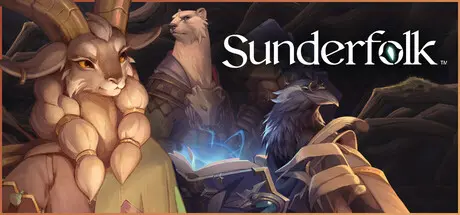
July 22, 20251 yr Sunderfolk Game DetailsRelease Name: SunderfolkGame Version: v2.0.0 | Build 21854357Release Date: 23 Apr, 2025Publisher: DreamhavenDeveloper: Secret DoorBased On: CSF & GoldbergSunderfolk Direct Download - Game OverviewRediscover game night with Sunderfolk, a tactical co-op RPG built to bring people together. Whether teaming up across the globe via online multiplayer with a mouse and keyboard or playing couch co-op with phones as controllers, Sunderfolk adapts to your group. It’s your party, your plan, and your story to tell.Playing with phone controls? Only the host needs to own the game! Friends join for free using the free Sunderfolk Controller app as their hand of cards, guidebook, and controller. Just scan a QR code on a shared screen to jump right in.If you prefer a traditional PC experience you can team up with friends seamlessly through native online multiplayer. Control your heroes directly using full mouse and keyboard support, with your skill cards and stats integrated right on your screen (online multiplayer requires each player to own a copy of the game).Start your campaign and take on challenging missions together. Use powerful skill cards, choose your turn order, and plan every move. Outsmart enemies, adapt your tactics, and face down epic bosses.Between battles, unwind in the charming village of Arden. Upgrade shops, discover gear, share hearty meals, and connect with locals—some of whom may spark something more than friendship.Sunderfolk Screenshots Sunderfolk TrailerSunderfolk System Requirements Minimum RequirementsRecommended Requirements OSWindows 10 x64 or higherWindows 10 x64 or higher ProcessorIntel Core i5-4590 or AMD Ryzen 3 4100Intel Core i7-11700K or AMD Ryzen 5 5600X Memory8 GB RAM16 GB RAM GraphicsGeForce GTX 750 Ti [2 GB] or Radeon RX 570 [8 GB]GeForce RTX 2060 [6 GB] or Radeon RX 5600 XT [8 GB] DirectXVersion 12Version 12 Storage12 GB available space12 GB available space How to Install SunderfolkNo Installation Needed: The game is pre-installed. Just download and extract.Extract: Right-click the .zip or .rar file and select "Extract Here" or "Extract to folder".Run: Find Sunderfolk.exe inside the folder and run it.Multiplayer & Online (Optional)Play Online: Download the Online Fix file and apply it to the game folder.Please go to the online fix page and read the guide.Game Data & SettingsChange Language: Edit the file located at steam_settings/Configs.user.iniSave Data Location: %USERPROFILE%/AppData/LocalLow/Secret Door\Sunderfolk\steam\Important NotesTo support the Game Developer, Get It On Steam.🔥DOWNLOAD AREA🔥🔹8.92 GB🔹Select the server you want to download with ZeiLink.DownloadOnline Fix - (RAR pass: zeigames.com)
March 18Mar 18 It now has Mouse and Keyboard support! you don't need the shitty app to play it anymore, for anyone that had concerns over that.. the game is fun, try it out! Edited March 18Mar 18 by StrangeLeetx Spelling Error
July 31Jul 31 Please update to latest 15 July 2026Sunderfolk Patches and Updates · SteamDBCS RIN - Steam Underground • View topic - SunderfolkThanks Edited August 1Aug 1 by BobbyButter





Create an account or sign in to comment