



Theme
Language

Layout
Skip to content
View in the app

A better way to browse. Learn more.

ZeiGames

A full-screen app on your home screen with push notifications, badges and more.

To install this app on iOS and iPadOS
  1. Tap the Share icon in Safari
  2. Scroll the menu and tap Add to Home Screen.
  3. Tap Add in the top-right corner.
To install this app on Android
  1. Tap the 3-dot menu (โ‹ฎ) in the top-right corner of the browser.
  2. Tap Add to Home screen or Install app.
  3. Confirm by tapping Install.

Medieval Horse Dealer Simulator Free Download (v1.2)
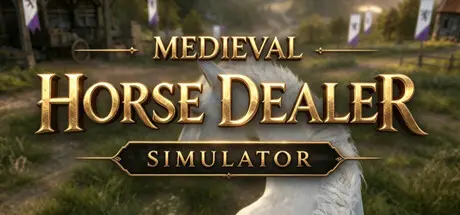
Medieval Horse Dealer Simulator

Featured Replies

Medieval Horse Dealer Simulator cover art

Medieval Horse Dealer Simulator Game Details

Release Name:ย Medieval Horse Dealer Simulator

Game Version:ย v1.2 | Build 24817183

Release Date: 17 Aug, 2026

Publisher: One Slice of Pizza Games

Developer: One Slice of Pizza Games

Based On:ย CSF & Goldberg

Medieval Horse Dealer Simulator Direct Download - Game Overview

Once a respected baron, you lost everything when a trusted vassal betrayed your family and seized your title. Forced to flee across the sea with only a handful of coins, you take refuge in a remote land and purchase a rundown stable to begin a new life.

Trade horses, formulate feed, and breed generations of elite horses. Train and auction valuable stock, expand your stables, mine resources, forge weapons and armor, farm crops, run merchant caravans, recruit villagers, train mercenaries, and earn the favor of powerful lords. Build your fortune from the ground up and dominate the medieval horse trade.

When your forces are finally strong enough, return across the sea to confront the usurper, reclaim your birthright, and restore your family's honor.

  1. Cut grass, plant crops on your farmland, and discover or invent advanced horse feed recipes to craft the perfect feed for your horses.

  2. Feed your horses and perform daily tasks to keep them comfortable, healthy, and in top condition.

  3. Use a variety of training approaches to improve different aspects of your horses and make them stand out in the market.

  4. Breed foals across generations to improve growth and inherit powerful, positive traits. Discover, inherit, and combine epic horse bloodlines.

  5. Prepare wagons, hire merchants, and equip them with horses to open trade routes between towns and earn high profits.

  6. Mine ores, build your own blacksmith shop, upgrade equipment, uncover legendary blueprints, and craft high-quality items for your horses and mercenaries, or sell them to customers.

  7. Hire villagers and train them into different troop types. Prepare weapons, armor, and horses, develop them from rookies into elite veterans, and accept contracts from nearby rulers and other clients.

  8. Raise livestock, build shelters, and collect products such as milk and eggs. Care for newborn animals and sell livestock to local farmers.

  9. Produce cheese, brew beer, and craft other valuable goods to expand your business.


Medieval Horse Dealer Simulator Screenshots

Medieval Horse Dealer Simulator screenshot 1 Medieval Horse Dealer Simulator screenshot 2 Medieval Horse Dealer Simulator screenshot 3 Medieval Horse Dealer Simulator screenshot 4


Medieval Horse Dealer Simulator Trailer


Medieval Horse Dealer Simulator System Requirements

Minimum Requirements

Recommended Requirements

OS

Windows 10

Windows 10

Processor

Intel Core i3

Intel Core i5

Memory

8 GB RAM

16 GB RAM

Graphics

Nvidia GeForce GTX 960 4GB VRAM

Nvidia GeForce GTX 1070 6GB VRAM

DirectX

Version 11

Version 12

Storage

16 GB available space

16 GB available space


How to Install Medieval Horse Dealer Simulator

  1. No Installation Needed: The game is pre-installed. Just download and extract.

  2. Extract: Right-click the .zip or .rar file and select "Extract Here" or "Extract to folder".

  3. Run: Find Medieval Horse Dealer Simulator.exe inside the folder and run it.

Game Data & Settings

  • Change Language: Edit the file located at steam_settings/Configs.user.ini

Important Notes

๐Ÿ”ฅDOWNLOAD AREA๐Ÿ”ฅ

๐Ÿ”น3.43 GB๐Ÿ”น

Select the server you want to download with ZeiLink.

Download

  • Views 315
  • Created
  • Last Reply

Posted Images

Create an account or sign in to comment

Recently Browsing 0

  • No registered users viewing this page.

Account

Navigation

Search

Search

๐Ÿ”Ž Search Tip
For exact results, search using "game name" .
Without quotes, results may include unrelated titles.

Configure browser push notifications

Chrome (Android)
  1. Tap the lock icon next to the address bar.
  2. Tap Permissions โ†’ Notifications.
  3. Adjust your preference.
Chrome (Desktop)
  1. Click the padlock icon in the address bar.
  2. Select Site settings.
  3. Find Notifications and adjust your preference.
