



Theme
Language

Layout
Skip to content
View in the app

A better way to browse. Learn more.

ZeiGames

A full-screen app on your home screen with push notifications, badges and more.

To install this app on iOS and iPadOS
  1. Tap the Share icon in Safari
  2. Scroll the menu and tap Add to Home Screen.
  3. Tap Add in the top-right corner.
To install this app on Android
  1. Tap the 3-dot menu (โ‹ฎ) in the top-right corner of the browser.
  2. Tap Add to Home screen or Install app.
  3. Confirm by tapping Install.

Disgaea PC Free Download (Build 1375097 + ALL DLC)
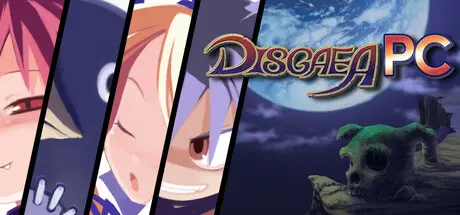
Disgaea PC

Featured Replies

Disgaea PC cover art

Disgaea PC Game Details

Release Name:ย Disgaea PC

Game Version:ย Build 1375097

Release Date: 24 Feb, 2016

Publisher: NIS America, Inc.

Developer: Nippon Ichi Software, Inc.

Based On:ย CSF & Goldberg

Disgaea PC Direct Download - Game Overview

Two years after the death of his father, Overlord Krichevskoy, the demon prince Laharl awakens to discover that the Netherworld is in turmoil. With unlikely allies, his devious vassal Etna and the angel trainee Flonne, he must battle his way to supremacy to retake the throne and become the next Overlord. Experience the SRPG classic, now on PC!

  • An SRPG from the most prolific SRPG creators in the world, Nippon Ichi Software

  • Choose from over 40 unique character types

  • Even with a max level of 9999, use Transmigration to start all over again, but your characters will be even stronger per level!

  • Delve into the Item World, a randomly generated dungeon world, to level up your items!

  • With max level characters and leveled-up items, dish out millionsย of points ofย damage!

  • Over-the-topย battle animations

  • Geo Panels - A puzzle game within a Strategy RPG

  • Liftย & Throw - Throw your allies up ledges to reach enemies in hard-to-reach spots, or toss your enemies around instead!

  • A zany story set in the Netherworld, where the notions of good and evil are reversed

    • Updated UI and textures

    • Keyboard/Mouse and controller support

    • Includes all content from Disgaea: Afternoon of Darkness

    • New Steam features, such as Achievements, Cloud Saves, Badges, and trading cards


Disgaea PC Screenshots

Disgaea PC screenshot 1 Disgaea PC screenshot 2 Disgaea PC screenshot 3 Disgaea PC screenshot 4


Disgaea PC Trailer


Disgaea PC System Requirements

Minimum Requirements

Recommended Requirements

OS

Windows 10/8/7

Windows 10/8/7

Processor

Intel Core2 Duo 2.60 GHz

Intel Core i5-2500 3.30 GHz

Memory

1 GB RAM

2 GB RAM

Graphics

nVidia GeForce 9500 GT, ATI/AMD Radeon HD 5450 (OpenGL 3.0)

nVidia GeForce GTS 450, ATI/AMD Radeon HD 5750

DirectX

-

-

Storage

2 GB available space

2 GB available space


How to Install Disgaea PC

  1. No Installation Needed: The game is pre-installed. Just download and extract.

  2. Extract: Right-click the .zip or .rar file and select "Extract Here" or "Extract to folder".

  3. Run: Find Launcher.exe inside the folder and run it.

Game Data & Settings

  • Change Language: Move the language files on LANGUAGES folder to main game folder.

  • Save Data Location: */SAVEDATA

Important Notes

DLC List

Added DLCs

Disgaea PC - Digital Soundtrack

Disgaea PC - Digital Art Book

๐Ÿ”ฅDOWNLOAD AREA๐Ÿ”ฅ

๐Ÿ”น1.04 GB๐Ÿ”น

Select the server you want to download with ZeiLink.

ALL Languages Included.

Download

  • Views 338
  • Created
  • Last Reply

Posted Images

Create an account or sign in to comment

Recently Browsing 0

  • No registered users viewing this page.

Account

Navigation

Search

Search

๐Ÿ”Ž Search Tip
For exact results, search using "game name" .
Without quotes, results may include unrelated titles.

Configure browser push notifications

Chrome (Android)
  1. Tap the lock icon next to the address bar.
  2. Tap Permissions โ†’ Notifications.
  3. Adjust your preference.
Chrome (Desktop)
  1. Click the padlock icon in the address bar.
  2. Select Site settings.
  3. Find Notifications and adjust your preference.
