



Skip to content
View in the app

A better way to browse. Learn more.

ZeiGames

A full-screen app on your home screen with push notifications, badges and more.

To install this app on iOS and iPadOS
  1. Tap the Share icon in Safari
  2. Scroll the menu and tap Add to Home Screen.
  3. Tap Add in the top-right corner.
To install this app on Android
  1. Tap the 3-dot menu (โ‹ฎ) in the top-right corner of the browser.
  2. Tap Add to Home screen or Install app.
  3. Confirm by tapping Install.

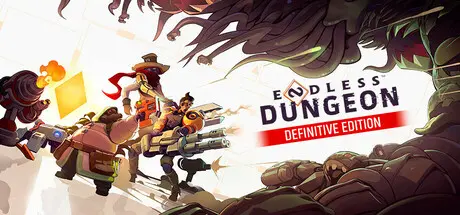
ENDLESS Dungeon Free Download (v1.6.11053 + Online)
Featured Replies

header.webp

Game Details

Release Name:ย ENDLESS Dungeon

Game Version:ย v1.0 | Build 11111

Release Date: 19 Oct, 2023

Publisher: AMPLITUDE Studios

Developer: AMPLITUDE Studios

Based On:ย OFME

ENDLESS Dungeonโ„ข - Definitive Edition Direct Download - Game Review

You're stranded on an abandoned space station chock-full of monsters and mysteries. To get out you'll have to reach The Core, but you can't do that without your crystal bot. That scuttling critter is your key to surviving the procedurally generated rooms of this space ruin. Sadly, it's also a fragile soul, and every monster in the place wants a piece of it. You're going to have to think quick, plan well, place your turrets, and then... fireworks! Bugs, bots and blobs will stop at nothing to turn you and that crystal into dust and debris. With a large choice of weapons and turrets, the right gear will be the difference between life and death.

You can face the horrors of the Station riding solo, or squad up and run the gauntlet in 3 player co-op. Once you've got your posse, plan your moves. Pick their weapons from a wide choice ranging from flamethrowers to poison snipers. When you're set, enter the Station to take on a character's quest, take a stab at escaping, or just go loco on the locals. You'll likely die trying, but hey, that's the way it goes in this space dungeon!

Prepare to meet a cast of colorful heroes all gunning for the same goal: to get the hell out! Each brings their own cards to the table. There's tanky Bunker who'll soak up damage, fiery Blaze who loves to blow stuff up, or maybe Shroom who'll heal her squadmates with her "unusual" incense. Select your heroes to build the team that works for you. As you get to know them, you'll learn that they all have their own particular motivations and secrets...


Game Screenshots

screenshot screenshot screenshot screenshot


Game Trailer


System Requirements

Minimum Requirements

Recommended Requirements

OS

Windows 7, 64-Bit

Windows 10, 64-bit

Processor

Desktop's Intel Core i5 4th generation / AMD FX-8370 or any Desktop's AMD Ryzen

Desktop's Intel Core i7 10th generation / Desktop's AMD Ryzen 5000 Series

Memory

8 GB RAM

12 GB RAM

Graphics

NVIDIA GTX 760 / AMD R9 280

NVIDIA GTX 970 / RTX 2060 / AMD R9 390 / RX 490 / RX 580

DirectX

-

-

Storage

11 GB available space

11 GB available space


Installation Guide

  1. No Installation Needed: The game is pre-installed. Just download and extract.

  2. Extract: Right-click the .zip or .rar file and select "Extract Here" or "Extract to folder".

  3. Run the game through EOSAuthLauncher.exe, which is located in the folder with the game.

  4. Log in to your Epic Games Store account in the opened browser window and grant access to it.

Game Data & Settings

  • Change Language: Edit the file located at steam_settings/Configs.user.ini

Important Notes

๐Ÿ”ฅDOWNLOAD AREA๐Ÿ”ฅ

๐Ÿ”น5.97 GB๐Ÿ”น

Select the server you want to download with ZeiLink.

Download

  • Views 781
  • Created
  • Last Reply

Posted Images

Create an account or sign in to comment

Recently Browsing 0

  • No registered users viewing this page.

Account

Navigation

Search

Search

๐Ÿ”Ž Search Tip
For exact results, search using "game name" .
Without quotes, results may include unrelated titles.

Configure browser push notifications

Chrome (Android)
  1. Tap the lock icon next to the address bar.
  2. Tap Permissions โ†’ Notifications.
  3. Adjust your preference.
Chrome (Desktop)
  1. Click the padlock icon in the address bar.
  2. Select Site settings.
  3. Find Notifications and adjust your preference.
