



Theme
Language

Layout
Skip to content
View in the app

A better way to browse. Learn more.

ZeiGames

A full-screen app on your home screen with push notifications, badges and more.

To install this app on iOS and iPadOS
  1. Tap the Share icon in Safari
  2. Scroll the menu and tap Add to Home Screen.
  3. Tap Add in the top-right corner.
To install this app on Android
  1. Tap the 3-dot menu (โ‹ฎ) in the top-right corner of the browser.
  2. Tap Add to Home screen or Install app.
  3. Confirm by tapping Install.

LEGO The Lord of the Rings Free Download (Build 19446222)
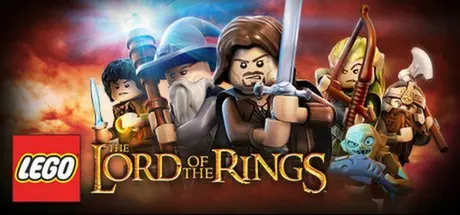
LEGO The Lord of the Rings

Featured Replies

LEGO The Lord of the Rings cover art

LEGO The Lord of the Rings Game Details

Release Name:ย LEGO The Lord of the Rings

Game Version:ย Build 19446222

Release Date: 27 Nov, 2012

Publisher: Warner Bros. Interactive Entertainment

Developer: Traveller's Tales

Based On:ย CSF & Goldberg

LEGO The Lord of the Rings Direct Download - Game Overview

Based on The Lord of the Rings motion picture trilogy, LEGOยฎ The Lord of the Rings follows the original story-lines of The Lord of the Rings: The Fellowship of the Ring, The Lord of the Rings: The Two Towers, and The Lord of the Rings: The Return of the King, taking players through the epic story events re-imagined with the humor and endless variety of LEGO play.

Trusted with the dangerous task to destroy an ancient magical ring that threatens all that is good, Frodo is forced to leave his peaceful home. But the ring wants to be found and the road to Mount Doom, the only place where it can be destroyed, will be perilous and riddled with Orcs and fouler things. To help Frodo, a Fellowship is formed โ€”Aragorn the Ranger, Gandalf the Wizard, Legolas the Elf, Gimli the Dwarf, Boromir a Man of Gondor, and Frodoโ€™s Hobbit friends Sam, Merry and Pippin. Players relive the legend through the LEGO mini-figures, as they explore wonders, solve timeless riddles, and overcome endless foes in their quest to destroy the Ring.

  • Explore all of the open-world of Middle-earth and experience epic battles with Orcs, Uruk-hai, the Balrog, the Witch-king, and other fearsome creatures.

  • Wield the power of the Palantรญr or Seeing-stone (โ€˜one that looks far-awayโ€™), and jump between multiple story-lines.

  • Experience the LEGO The Lord of the Rings heroes come to life in an all new way with the mini-fig characters delivering the dialogue from the films.

  • Collect, combine and forge new items in the Blacksmith Shop using Mithril, the most precious metal in Middle-earth.

  • Discover and unlock over more than 80 playable characters, including Frodo, Aragorn, Gandalf, and many others.

  • Collect and use a variety of weaponry and magical items, including the Light of Earendil, Elven rope, swords, and bows.

  • Play with family and friends with easy access drop-in, drop-out game play option.


LEGO The Lord of the Rings Screenshots

LEGO The Lord of the Rings screenshot 1 LEGO The Lord of the Rings screenshot 2 LEGO The Lord of the Rings screenshot 3 LEGO The Lord of the Rings screenshot 4


LEGO The Lord of the Rings Trailer


LEGO The Lord of the Rings System Requirements

Minimum Requirements

Recommended Requirements

OS

Microsoftยฎ Windowsยฎ XP SP3, Vista, or Windowsยฎ 7

-

Processor

Dual Core CPU @ 2GHz (Pentium D or better)

-

Memory

1GB RAM

-

Graphics

NVIDIAยฎ 7600, 7800, 8800 GT or ATI Radeonโ„ข HD 1950 or higher

-

DirectX

-

-

Storage

-

-


How to Install LEGO The Lord of the Rings

  1. No Installation Needed: The game is pre-installed. Just download and extract.

  2. Extract: Right-click the .zip or .rar file and select "Extract Here" or "Extract to folder".

  3. Run: Find Launcher.exe inside the folder and run it.

Game Data & Settings

  • Change Language: Edit the file located at steam_settings/Configs.user.ini

Important Notes

๐Ÿ”ฅDOWNLOAD AREA๐Ÿ”ฅ

๐Ÿ”น5.64 GB๐Ÿ”น

Select the server you want to download with ZeiLink.

Download

  • Views 75
  • Created
  • Last Reply

Posted Images

Create an account or sign in to comment

Recently Browsing 0

  • No registered users viewing this page.

Account

Navigation

Search

Search

๐Ÿ”Ž Search Tip
For exact results, search using "game name" .
Without quotes, results may include unrelated titles.

Configure browser push notifications

Chrome (Android)
  1. Tap the lock icon next to the address bar.
  2. Tap Permissions โ†’ Notifications.
  3. Adjust your preference.
Chrome (Desktop)
  1. Click the padlock icon in the address bar.
  2. Select Site settings.
  3. Find Notifications and adjust your preference.
