



Skip to content
View in the app

A better way to browse. Learn more.

ZeiGames

A full-screen app on your home screen with push notifications, badges and more.

To install this app on iOS and iPadOS
  1. Tap the Share icon in Safari
  2. Scroll the menu and tap Add to Home Screen.
  3. Tap Add in the top-right corner.
To install this app on Android
  1. Tap the 3-dot menu (⋮) in the top-right corner of the browser.
  2. Tap Add to Home screen or Install app.
  3. Confirm by tapping Install.

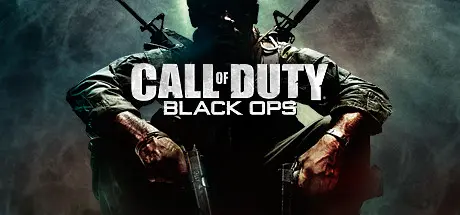
Call of Duty: Black Ops Free Download (v0.305-05.125430.1 + ALL DLC + Zombies)
Featured Replies

header.webp

Game Details

Release Name: Call of Duty®: Black Ops

Game Version: v0.305-05.125430.1 | Build 87954

Release Date: 8 Nov, 2010

Publisher: Activision

Developer: Treyarch

Based On: PLAZA

Call of Duty®: Black Ops Direct Download - Game Review

The biggest first-person action series of all time and the follow-up to last year’s blockbuster Call of Duty®: Modern Warfare 2 returns with Call of Duty®: Black Ops.
Call of Duty®: Black Ops will take you behind enemy lines as a member of an elite special forces unit engaging in covert warfare, classified operations, and explosive conflicts across the globe. With access to exclusive weaponry and equipment, your actions will tip the balance during the most dangerous time period mankind has ever known.

  • Cinematic Single Player Campaign: An epic campaign and story that takes you to a variety of locations and conflicts all over the world where you will play as an elite Black Ops soldier in deniable operations where if you are caught, captured or killed, your country will disavow all knowledge of your existence.

  • Signature Multiplayer: Call of Duty’s signature multiplayer gameplay returns with new perks and killstreaks, deeper levels of character and weapon customization, and all new modes including:

    • Wager Matches: One in the Chamber, Gun Game, Sticks and Stones, Sharpshooter

    • Theater Mode: View, record, and edit your favorite moments from multiplayer, and share with your friends

    • Combat Training: Test your skill solo or Co-Op with friends against AI enemy players

  • Zombies!: Fan favorite Zombie mode is back providing endless hours of Zombie-slaying entertainment, solo or Co-Op


Game Screenshots

screenshot screenshot screenshot screenshot


Game Trailer


System Requirements

Minimum Requirements

Recommended Requirements

OS

Windows® Vista / XP / 7

-

Processor

Intel® Core2 Duo E6600 or AMD Phenom X3 8750 or better

-

Memory

2GB

-

Graphics

Shader 3.0 or better 256MB NVIDIA® GeForce® 8600GT / ATI Radeon® X1950Pro or better

-

DirectX

DirectX® 9.0c

-

Storage

12GB*

-


Installation Guide

  1. No Installation Needed: The game is pre-installed. Just download and extract.

  2. Extract: Right-click the .zip or .rar file and select "Extract Here" or "Extract to folder".

  3. Run: Find Black Ops.exe inside the folder and run it.

  4. To activate ZM/MP capabilities, copy all files from “NoDVD\BGamerT5” to game root, overwriting files.

    Then run “bgT5Launcher.exe” and click “Start Hostmode” button.

    • For Zombies click singleplayer, then in game select Zombie, Singleplayer and play

    • For Multiplayer with bots, click Multiplayer, then in game select Combat Training, set maps/params and play with bots

    • For Multiplayer with friends/new version of BGamer, check this official page: https://bgiw.jimdo.com/projects/call-of-duty/black-ops/

Important Notes

DLC List

Added DLCs

  • Annihilation Content Pack

  • Escalation Content Pack

  • First Strike Content Pack

  • Rezurrection Content Pack

🔥DOWNLOAD AREA🔥

🔹10.20 GB🔹

Select the server you want to download with ZeiLink.

Download

  • DicDale changed the title to Call of Duty - Black Ops Free Download (v0.305-05.125430.1 ALL DLC + Zombies)
  • DicDale changed the title to Call of Duty: Black Ops Free Download (v0.305-05.125430.1 + ALL DLC + Zombies)

  • Views 2.4k
  • Created
  • Last Reply

Posted Images

Create an account or sign in to comment

Recently Browsing 0

  • No registered users viewing this page.

Account

Navigation

Search

Search

🔎 Search Tip
For exact results, search using "game name" .
Without quotes, results may include unrelated titles.

Configure browser push notifications

Chrome (Android)
  1. Tap the lock icon next to the address bar.
  2. Tap Permissions → Notifications.
  3. Adjust your preference.
Chrome (Desktop)
  1. Click the padlock icon in the address bar.
  2. Select Site settings.
  3. Find Notifications and adjust your preference.