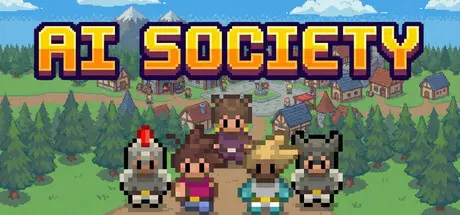
August 17Aug 17 AI Society Game DetailsRelease Name: AI SocietyGame Version: v3.2.5 | Build 24560089Release Date: 20 Mar, 2026Publisher: b8veDeveloper: b8veBased On: CSF & GoldbergAI Society Direct Download - Game OverviewAI Society is an civilization simulation game where every character is driven by a local AI model.Create up to 25 unique characters and define who they are:• Set personality traits; how peaceful, hardworking, extroverted, generous, playful, or dominant they are• Give them hobbies like fishing, wood carving, or leatherworking• Write a freeform description to shape their worldview and backstory• Choose their appearance and genderCharacters in AI Society are fully autonomous. They will:• Find jobs and fill roles in the town's economy based on their personalities• Earn and spend money, manage hunger, and seek rest• Form relationships, some warm, some tense, based on their traits and interactions• Characters can get married and have children to continue their legacy• Post thoughts, reactions, and confrontations on their own social media• Visit the homes and farms of their neighbors, or gather at the tavern for a drink after work• Fight with characters they despise, and if things go badly, die permanently• Drop what they're doing to swarm and attack the intruders when the town is getting raided by banditsWhen a character dies, they're gone. Their job goes unfilled. Their relationships dissolve. They're remembered in the town cemetery, where others may visit their grave. With a revive token, they can be brought back to life.Level up your town and rank by going on adventures and reaching milestones in your town• Play mini-games, dungeon raids, or town rivals to gain XP for your town• Reach milestones in your town, such as defending your first bandit raid, and earn XPAI Society Screenshots AI Society System RequirementsMinimum RequirementsRecommended RequirementsOSWindows 10+Windows 10+ProcessorRyzen 5 / Intel i5 or GreaterRyzen 7 / Intel i7 or GreaterMemory4 GB RAM16 GB RAMGraphics4GB VRAM8GB VRAMDirectX--Storage12 GB available space20 GB available spaceHow to Install AI SocietyNo Installation Needed: The game is pre-installed. Just download and extract.Extract: Right-click the .zip or .rar file and select "Extract Here" or "Extract to folder".Run: Find Launcher.exe inside the folder and run it.Game Data & SettingsChange Language: Edit the file located at steam_settings/Configs.user.iniImportant NotesTo support the Game Developer, Get It On Steam.🔥DOWNLOAD AREA🔥🔹1.51 GB🔹Select the server you want to download with ZeiLink.Download





Create an account or sign in to comment