



Theme
Language

Layout
Skip to content
View in the app

A better way to browse. Learn more.

ZeiGames

A full-screen app on your home screen with push notifications, badges and more.

To install this app on iOS and iPadOS
  1. Tap the Share icon in Safari
  2. Scroll the menu and tap Add to Home Screen.
  3. Tap Add in the top-right corner.
To install this app on Android
  1. Tap the 3-dot menu (โ‹ฎ) in the top-right corner of the browser.
  2. Tap Add to Home screen or Install app.
  3. Confirm by tapping Install.

Combat Mission: Final Blitzkrieg Free Download (v2.11.0 + Downfall DLC)
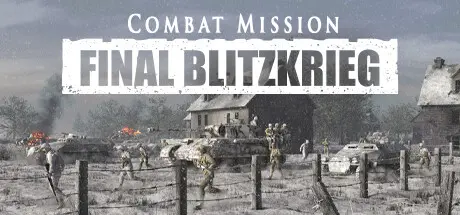
Combat Mission: Final Blitzkrieg

Featured Replies

Combat Mission: Final Blitzkrieg cover art

Combat Mission: Final Blitzkrieg Game Details

Release Name:ย Combat Mission: Final Blitzkrieg

Game Version:ย v2.11.0

Release Date: 25 Jan, 2024

Publisher: Matrix Games

Developer: Battlefront

Based On:ย GOG

Combat Mission: Final Blitzkrieg Direct Download - Game Overview

Combat Mission Final Blitzkrieg (CMFB) follows the Western Allies through the battles along Germany's border and into the heart of the Reich itself. The game covers the October 1944 through January 1945 timeframe with a focus on the American sector of the Battle of the Bulge.

Combat Mission Final Blitzkrieg allows you to revisit the famous battlefields along the German border, with the wintery Battle of the Bulge as its main focus. It was a time and place where the Wehrmacht was still highly capable at the tactical level, yet fairly evenly matched against the American forces arrayed against it. The mix of harsh weather in an unforgiving rugged environment ensured the fighting was challenging for both sides.

Two expansive campaigns offer two very different experiences. One focuses on American forces pushing into Aachen, the first major German city to fall into Allied hands. The other portrays the famous drive of Kampfgruppe Peiper deep into the American lines. Also included are one training campaign, 25 standalone scenarios, and multitudes of Quick Battle maps that will test your tactical acumen and give you easy access to the full range of weather, terrain, and forces from this period and place in time.

  • Tactical warfare at battalion and below scale in a true 3D environment

  • Command individual vehicles, teams, and squads

  • Expansive simulation of "soft factors" such as Morale, Experience, and Leadership

  • Innovative systems portraying Fog of War, Spotting, Line of Sight, Command & Control, and Objectives

  • Unmatched realistic physics, ballistics, and battlefield effects

  • Fight in a wide range of weather and lighting conditions, all of which realistically impact fighting abilities

  • Unique hybrid system for RealTime or WeGo (turn based) play

  • Full featured Editor for maps, scenarios, and campaigns

  • Quick Battle system sets up deliberate or randomized battles based on player specifications

  • Single player and head to head play, including Play By Email (PBEM)

  • The final array of German heavy armor makes its first appearance in Combat Mission

  • American forces also have much improved armor, including the M36 tank destroyer

  • Organizational changes in the formations on both sides give even the most experienced CM player new tactical challenges and opportunities

  • The winter weather and forested terrain set the tactical experience apart from all other CM games

  • Three Regions within the game help set the mood with Dutch, French, and German accents

  • Expansive maps with 1m x 1m resolution allow for short and long range action across complex terrain

  • Buildings have explicitly simulated doors, windows, and floors

  • Weather and ground condition modelling systems allow for everything from dry sunny days to muddy stormy nights, with visibility and mobility dynamically affected by the conditions. Some Combat Mission games include the full range of Winter, Spring, and Fall weather as well

  • Line of Sight and Line of Fire are separately calculated, which means sometimes you can see something you can't shoot and sometimes you can shoot at things you can't see

  • Soldier posture (prone, kneeling, standing) affects everything including spotting, cover, and ability to engage enemies

  • The way a nation organizes its units has a huge impact on how they perform in combat, therefore great pains are taken to accurately portray formations as they are in real life for a particular point in time

  • Lighting affects combat in no small way in real life as well as in the game. The correct lighting conditions are simulated based on time of day, time of year, and weather


Combat Mission: Final Blitzkrieg Screenshots

Combat Mission: Final Blitzkrieg screenshot 1 Combat Mission: Final Blitzkrieg screenshot 2 Combat Mission: Final Blitzkrieg screenshot 3Combat Mission: Final Blitzkrieg screenshot 4


Combat Mission: Final Blitzkrieg Trailer


Combat Mission: Final Blitzkrieg System Requirements

Minimum Requirements

Recommended Requirements

OS

Windows 10

Windows 10

Processor

Pentium IV 1.8 GHz or equivalent speed AMD processor

Pentium IV 2.8 GHz or equivalent speed AMD processor or better

Memory

4 GB RAM

8 GB RAM

Graphics

256 MB VRAM or better and must support 1024x768 or higher resolution in OpenGL***IMPORTANT*** Not all Intel integrated video cards will play the game.

1 GB VRAM or better and must support 1024x768 or higher resolution in OpenGL

DirectX

Version 10

Version 12

Storage

17 GB available space

17 GB available space


How to Install Combat Mission: Final Blitzkrieg

  1. No Installation Needed: The game is pre-installed. Just download and extract.

  2. Extract: Right-click the .zip or .rar file and select "Extract Here" or "Extract to folder".

  3. Run: Find CM Final Blitzkrieg.exe inside the folder and run it.

Important Notes

DLC List

Added DLCs

Combat Mission: Final Blitzkrieg - Downfall

๐Ÿ”ฅDOWNLOAD AREA๐Ÿ”ฅ

๐Ÿ”น7.47 GB๐Ÿ”น

Select the server you want to download with ZeiLink.

Download

  • Views 204
  • Created
  • Last Reply

Posted Images

Create an account or sign in to comment

Recently Browsing 0

  • No registered users viewing this page.

Account

Navigation

Search

Search

๐Ÿ”Ž Search Tip
For exact results, search using "game name" .
Without quotes, results may include unrelated titles.

Configure browser push notifications

Chrome (Android)
  1. Tap the lock icon next to the address bar.
  2. Tap Permissions โ†’ Notifications.
  3. Adjust your preference.
Chrome (Desktop)
  1. Click the padlock icon in the address bar.
  2. Select Site settings.
  3. Find Notifications and adjust your preference.
