



Theme
Language

Layout
Skip to content
View in the app

A better way to browse. Learn more.

ZeiGames

A full-screen app on your home screen with push notifications, badges and more.

To install this app on iOS and iPadOS
  1. Tap the Share icon in Safari
  2. Scroll the menu and tap Add to Home Screen.
  3. Tap Add in the top-right corner.
To install this app on Android
  1. Tap the 3-dot menu (โ‹ฎ) in the top-right corner of the browser.
  2. Tap Add to Home screen or Install app.
  3. Confirm by tapping Install.

The Midnight Walkers Free Download (v1.4.1 + Early Access Supporter Pack DLC + Online)
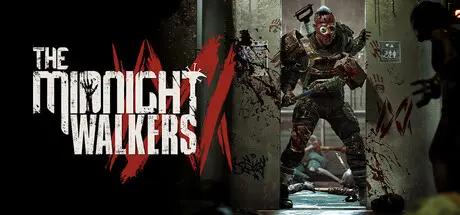
The Midnight Walkers

Featured Replies

The Midnight Walkers cover art

The Midnight Walkers Game Details

Release Name:ย The Midnight Walkers

Game Version:ย v1.4.1 | Build 24425797

Release Date: 28 Jan, 2026

Publisher: Oneway Ticket Studio

Developer: Oneway Ticket Studio

Based On:ย CSF & Goldberg

The Midnight Walkers Direct Download - Game Overview

The Midnight Walkers is a hardcore PvE zombie extraction FPS.

Play in Solo or Trio Mode as you search for valuable loot, gear up, fight off zombies, and make your escape.

Escape successfully and you can use the materials you find to craft items or buy and sell more powerful equipment. Die, however, and you will lose everything you collected.

Liberty Grand Center, a massive complex in Golden County, features a different theme and unique loot on every floor, including a hospital, shopping mall, casino, and more.

Zombies are not the only threat lurking inside. As time passes, toxic gas spreads through randomly selected floors, forcing you to move between levels using elevators and stairwells.

Brick, a steadfast warrior armed with a massive hammer and heavy armor,

Crow, an agile assassin who catches enemies off guard with swift movements and deadly daggers,

Lockdown, a marksman who uses a bow to strike enemies from a safe distance,

Bartender, a support specialist who mixes cocktails to heal and empower allies,

Choose the class that best suits your playstyle.

Every zombie in this place is deadly.

Even the Walker, the weakest of them all, can become a serious threat when it surrounds you with the horde. Beyond the relentless Runners that pursue survivors without mercy, even deadlier mutations await.

But no matter what you encounter, the greatest threat will always be the other survivors. Fight alone or alongside your teammates, defeat your rivals, and claim even more loot.


The Midnight Walkers Screenshots

The Midnight Walkers screenshot 1 The Midnight Walkers screenshot 2 The Midnight Walkers screenshot 3 The Midnight Walkers screenshot 4


The Midnight Walkers Trailer


The Midnight Walkers System Requirements

Minimum Requirements

Recommended Requirements

OS

Windows 11 (x64)

Windows 11 (x64)

Processor

Intel i7-4770 / AMD Ryzen 7 1800X(TBD)

Intel i7-7700K / AMD Ryzen 5 2600X (TBD)

Memory

8 GB RAM

16 GB RAM

Graphics

GeForce GTX 1660Ti or AMD Radeon RX 580 (TBD)

GeForce RTX 2060 or AMD Radeon RX 5600XT (TBD)

DirectX

Version 12

Version 12

Storage

20 GB available space

20 GB available space


How to Install The Midnight Walkers

  1. No Installation Needed: The game is pre-installed. Just download and extract.

  2. Extract: Right-click the .zip or .rar file and select "Extract Here" or "Extract to folder".

  3. Run: Find ProjectMW.exe inside the folder and run it.

Multiplayer & Online (Optional)

  • Play Online: Download the Online Fix file and apply it to the game folder.

  • Please go to the online fix page and read the guide.

Game Data & Settings

  • Change Language: Edit the file located at steam_settings/Configs.user.ini

  • Save Data Location: %USERPROFILE%/AppData/Local/ProjectMW\Saved\SaveGames\

Important Notes

DLC List

Added DLCs

The Midnight Walkers - Early Access Supporter Pack

๐Ÿ”ฅDOWNLOAD AREA๐Ÿ”ฅ

๐Ÿ”น17.14 GB๐Ÿ”น

Select the server you want to download with ZeiLink.

Download

Online Fix - (RAR pass: zeigames.com)

  • Views 1.2k
  • Created
  • Last Reply

Posted Images

Create an account or sign in to comment

Recently Browsing 0

  • No registered users viewing this page.

Account

Navigation

Search

Search

๐Ÿ”Ž Search Tip
For exact results, search using "game name" .
Without quotes, results may include unrelated titles.

Configure browser push notifications

Chrome (Android)
  1. Tap the lock icon next to the address bar.
  2. Tap Permissions โ†’ Notifications.
  3. Adjust your preference.
Chrome (Desktop)
  1. Click the padlock icon in the address bar.
  2. Select Site settings.
  3. Find Notifications and adjust your preference.
