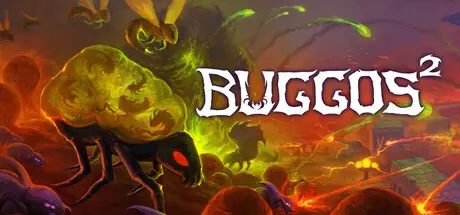
October 3, 2025Oct 3 Buggos 2 Game DetailsRelease Name: Buggos 2Game Version: v1.0.15b | Build 20229794Release Date: 25 Sep, 2025Publisher: Intrepid MarmotDeveloper: Intrepid MarmotBased On: CSF & GoldbergBuggos 2 Direct Download - Game OverviewBuggos 2 is a swarm-based auto-battler where YOU play as the Evil Hivemind controlling the murderous bugs. Conquer the dirty Humans by sending wave after wave of Buggos - eventually all will crumble under your sheer biomass. Gain control of each planet and eradicate any Human presence along the way.Buggos 2 is a low-micro RTS. This means controlling the swarm is easy. Just set the Attack Pins for your Spawners and watch as up to 5000 bugs destroy the disgusting Humans. This allows you to focus on the high level strategies and the fun parts of the game. If you are an RTS veteran, you still have access to control groups and chaining command pins for those who wish to take things more into their own hands.Unlock evolutions after every battle and turn your Buggos into the perfect killing machines. If you need something stronger for the next missions, reset your evolution tree and try something new. Stay unpredictable and try new strategies by re-evolving the Buggos as you see fit. Unlock powerful mutations to wreak havoc upon the battlefield after conquering an entire planet. Mutations are game changing evolutions that can redefine how a unit works or how you engage with the game.Campaign with 45 missions over 9 planets.Each map is hand-crafted to allow clever use of level geography and different unit combinations.Over 150 evolutions and nearly 25 mutations to make your swarm stronger, providing countless play styles to experiment with.Full level editor with Steam workshop support.Hassle-free approach to RTS management. Let the bugs handle the details for you, all they need is a direction to march.Difficulty is more than just a number. In higher difficulties each planetary conquest makes humans harder than the last, forcing you to choose how they punish your aggression.Buggos 2 Screenshots Buggos 2 TrailerBuggos 2 System Requirements Minimum RequirementsRecommended Requirements OSWindows 10, Windows 11Windows 10, Windows 11 ProcessorAMD Ryzen 7 5800HAMD Ryzen 7 5800H (the game is CPU hungry - more is better) Memory-- GraphicsNVIDIA GeForce RTX 2060NVIDIA GeForce RTX 3060 DirectX-- Storage-- How to Install Buggos 2No Installation Needed: The game is pre-installed. Just download and extract.Extract: Right-click the .zip or .rar file and select "Extract Here" or "Extract to folder".Run: Find Buggos 2.exe inside the folder and run it.Game Data & SettingsChange Language: Edit the file located at steam_settings/Configs.user.iniSave Data Location: %USERPROFILE%/AppData/Roaming/Godot\app_userdata\Buggos 2Important NotesTo support the Game Developer, Get It On Steam.🔥DOWNLOAD AREA🔥🔹227 MB🔹Select the server you want to download with ZeiLink.Download





Create an account or sign in to comment