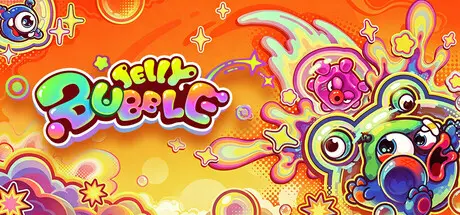
August 9Aug 9 Jelly Bubble Game DetailsRelease Name: Jelly BubbleGame Version: v1.0.0 | Build 24550354Release Date: 4 Aug, 2026Publisher: BINGOBELLDeveloper: BINGOBELLBased On: CSF & GoldbergJelly Bubble Direct Download - Game OverviewStick together, bounce apart. Grab soap, mess with your friends.A cute but chaotic multiplayer party game where jelly creatures compete, collide, and betray each other. Play with up to 6 players online or 4 players locally, and jump into wild matches—or build your own with the map editorIn this chaotic playground, soap is power. Pick it up from the ground. Steal it from others. Or lose it the second you grab it.That’s just how it goes.More soap = stronger abilities. Bigger size = more control. Bring your soap back to the scoring point and climb the leaderboard — if you can make it there alive.Your bubble is both shield and weapon.Same colors attract—get close, steal resources, or even absorb your opponent. Different colors repel—bounce enemies away or save yourself at the last second.Switching colors at the right moment can turn the fight around. Soap doesn’t just make you stronger.It can blast enemies away, swap positions, or save you in critical moments.Every piece of soap is a tactical choice. Supports up to 6 players online or 2–4 players in local multiplayer. Dorm room gaming? Friends’ party? Just gather your crew and it’ll quickly turn into a chaotic friendship-destroying showdown. With multiple game modes and fun-filled challenges, every match brings a fresh experience!Easy to pick up, fast-paced, light competitive gameplayMultiple competitive and cooperative modesUnique core mechanic: attract (same color) / bounce (different colors)20+ types of soap with different effectsCustom map creationFun customization and mix-and-match outfitsUp to 6-player online2–4 player local multiplayerJelly Bubble Screenshots Jelly Bubble TrailerJelly Bubble System Requirements Minimum RequirementsRecommended Requirements OSWin10 64-bitsWin10 64-bits ProcessorIntel i5 or AMD equivalent CPUIntel i5 or AMD equivalent CPU Memory8 GB RAM16 GB RAM GraphicsNVIDIA GTX750-TI or AMD RX550, 2GB VRamNVIDIA GTX1060 or AMD RX 580, 4GB VRam DirectXVersion 11Version 11 Storage2 GB available space2 GB available space How to Install Jelly BubbleNo Installation Needed: The game is pre-installed. Just download and extract.Extract: Right-click the .zip or .rar file and select "Extract Here" or "Extract to folder".Run: Find Magnetic.exe inside the folder and run it.Game Data & SettingsChange Language: Edit the file located at steam_settings/Configs.user.iniSave Data Location: %USERPROFILE%/AppData/Local/Magnetic\Saved\SaveGames\Release_1Important NotesTo support the Game Developer, Get It On Steam.DLC ListAdded DLCsGreen Glory PackJelly Bubble - Basic Skin Pack🔥DOWNLOAD AREA🔥🔹1.95 GB🔹Select the server you want to download with ZeiLink.Download





Create an account or sign in to comment