



Skip to content
View in the app

A better way to browse. Learn more.

ZeiGames

A full-screen app on your home screen with push notifications, badges and more.

To install this app on iOS and iPadOS
  1. Tap the Share icon in Safari
  2. Scroll the menu and tap Add to Home Screen.
  3. Tap Add in the top-right corner.
To install this app on Android
  1. Tap the 3-dot menu (โ‹ฎ) in the top-right corner of the browser.
  2. Tap Add to Home screen or Install app.
  3. Confirm by tapping Install.

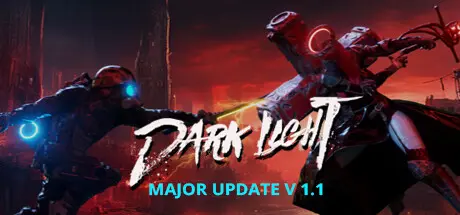
Dark Light Free Download (v1.1.0.13 + Digital Art Book DLC)
Featured Replies

header.webp

Game Details

Release Name:ย Dark Light

Game Version:ย v1.1.0.13 | Build 14309167

Release Date: 29 Sep, 2022

Publisher: Mirari&Co.

Developer: Mirari&Co.

Based On:ย CSF & Goldberg

Dark Light Direct Download - Game Review

Dark light is a riveting souls-like game featuring fast-paced combat in a post-apocalyptic world.

In the aftermath of the apocalypse, the world is shrouded in an impenetrable darkness, a realm now home to creatures birthed from the Dark Void. As the last of the Dark Hunters, an elite cadre of human warriors, you are entrusted with a daunting task: to seal the Dark Void and rescue humanity from an impending doom.

Venture into the heart of this darkness, into the mysterious and perilous zones now claimed by the night. Augment your abilities with cyberwares, face the supernatural entities that lurk in the shadows, and engage in brutal combat against hordes of ferocious creatures. Collect their energy shards, join a faction, unlock skills, and face epic bosses in your relentless pursuit to halt the cycle of eternal darkness.

  • Unveiling Unique Visuals and Dynamic World:
    Immerse yourself in the choice of Pixel Mode or Cinematic Mode, granting a nostalgic pixel aesthetic or visually striking experience. Explore 6 distinct biomes where enemies and temporary power-ups continuously evolve with each playthrough. Overcome 14 major bosses, numerous elites, and mini-bosses to acquire valuable loot and upgrade materials.

  • Intense Gameplay and Progression: Engage in challenging Souls-Like combat, mastering timing, dodging, and parrying. Progress through loot, items, and character upgrades, enhancing attributes like Strength, Agility, Faith, Intellect, and Blood.

  • Cyberware Enhancement: Choose from 100+ unique Cyberware gears, improving abilities across various categories. Obtain gears through drops or purchases.

  • Experience an ever-evolving world with shifting challenges and acquire unique power-ups through temporary totems. Collect new drones from various Factions and defeat powerful bosses to gain permanent upgrades in your skill tree.

  • Customizable Arsenal: Wield 9 melee-style weapons and 6 ranged base weapons, upgrading them with elemental gems for devastating effects.

  • Skill Tree and Faction System: Join a faction and unlock unique drones with 25-30 skills per faction, allowing you to tailor your playstyle and explore diverse paths of character development. Earn skill points by defeating bosses and completing quests, and strategically navigate the skill tree to master your preferred abilities.

  • NG+: Conquer more formidable challenges in New Game+ mode, where enemies exhibit unparalleled strength. Drawn from acclaimed titles, Dark Light offers engaging gameplay, atmospheric world, and a fusion of classic and modern aesthetics. Brace yourself for a post-apocalyptic cyberpunk adventure.


Game Screenshots

screenshot screenshot screenshot screenshot


Game Trailer


System Requirements

Minimum Requirements

Recommended Requirements

OS

Windows 7+

-

Processor

Intel Core i3-2100 / AMDยฎ FX-6300

-

Memory

8 GB RAM

-

Graphics

Nvidia GTX 560

-

DirectX

-

-

Storage

6 GB available space

-


Installation Guide

  1. No Installation Needed: The game is pre-installed. Just download and extract.

  2. Extract: Right-click the .zip or .rar file and select "Extract Here" or "Extract to folder".

  3. Run: Find Dark Light.exe inside the folder and run it.

Game Data & Settings

  • Change Language: Edit the file located at steam_settings/Configs.user.ini

  • Save Data Location: %USERPROFILE%/AppData/LocalLow/Mirari_co_JinxterGames\Dark Light

Important Notes

DLC List

Added DLCs

Dark Light Digital Art Book

๐Ÿ”ฅDOWNLOAD AREA๐Ÿ”ฅ

๐Ÿ”น2.32 GB๐Ÿ”น

Select the server you want to download with ZeiLink.

Download

  • Replies 1
  • Views 631
  • Created
  • Last Reply

Top Posters In This Topic

Posted Images

Create an account or sign in to comment

Recently Browsing 0

  • No registered users viewing this page.

Account

Navigation

Search

Search

๐Ÿ”Ž Search Tip
For exact results, search using "game name" .
Without quotes, results may include unrelated titles.

Configure browser push notifications

Chrome (Android)
  1. Tap the lock icon next to the address bar.
  2. Tap Permissions โ†’ Notifications.
  3. Adjust your preference.
Chrome (Desktop)
  1. Click the padlock icon in the address bar.
  2. Select Site settings.
  3. Find Notifications and adjust your preference.
