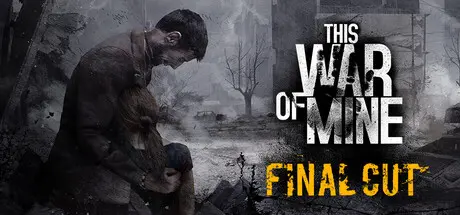
January 27Jan 27 This War of Mine Game DetailsRelease Name: This War of MineGame Version: v6.0.0 | Build 17144680Release Date: 14 Nov, 2014Publisher: 11 bit studiosDeveloper: 11 bit studiosBased On: CSF & GoldbergThis War of Mine Direct Download - Game OverviewIn This War Of Mine you do not play as an elite soldier, rather a group of civilians trying to survive in a besieged city; struggling with lack of food, medicine and constant danger from snipers and hostile scavengers. The game provides an experience of war seen from an entirely new angle.The pace of This War of Mine is imposed by the day and night cycle. During the day snipers outside stop you from leaving your refuge, so you need to focus on maintaining your hideout: crafting, trading and taking care of your survivors. At night, take one of your civilians on a mission to scavenge through a set of unique locations for items that will help you stay alive.Make life-and-death decisions driven by your conscience. Try to protect everybody from your shelter or sacrifice some of them for longer-term survival. During war, there are no good or bad decisions; there is only survival. The sooner you realize that, the better.Inspired by real-life eventsControl your survivors and manage your shelterCraft weapons, alcohol, beds or stoves – anything that helps you surviveMake decisions - an often unforgiving and emotionally difficult experienceRandomized world and characters every time you start a new gameCharcoal-stylized aesthetics to complement the game's themeThis War of Mine Screenshots This War of Mine TrailerThis War of Mine System Requirements Minimum RequirementsRecommended Requirements OSWindows 7/8/10Windows 7/8/10 Processor2.4 GHz Dual Core2.5+ GHz Quad Core Memory2 GB RAM4 GB RAM GraphicsGeForce GTX 260, Radeon HD 5770, 1024 MB, Shader Model 3.0NVIDIA GTX 660 or better, Radeon HD 7950 or better, Shader Model 3.0 DirectX-Version 9.0c Storage-- How to Install This War of MineNo Installation Needed: The game is pre-installed. Just download and extract.Extract: Right-click the .zip or .rar file and select "Extract Here" or "Extract to folder".Run: Find x64/This War of Mine.exe inside the folder and run it.Game Data & SettingsChange Language: Edit the file located at steam_settings/Configs.user.iniSave Data Location: %APPDATA%\11bitstudios\This War Of Mine\ or GameFolder/userdata/<user-id>/282070/remote/Important NotesTo support the Game Developer, Get It On Steam.DLC ListAdded DLCsThis War of Mine: Forget Celebrations Charity DLCThis War of Mine: Stories - Fading Embers (ep. 3)This War of Mine: Stories - The Last Broadcast (This War of Mine: Stories - The Last Broadcast (ep.2))This War of Mine: Stories - Season PassThis War of Mine: Stories - Father's Promise (This War of Mine: Stories - Father's Promise (ep.1))This War of Mine - The Little Ones DLC (This War of Mine: The Little Ones)This War of Mine - War Child Charity DLC (This War of Mine: War Child Charity)🔥DOWNLOAD AREA🔥🔹2.56 GB🔹Select the server you want to download with ZeiLink.Download





Create an account or sign in to comment