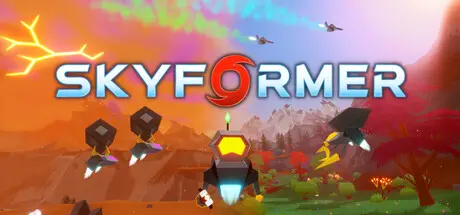
August 4Aug 4 Skyformer Game DetailsRelease Name: SkyformerGame Version: v1.1 | Build 24547566Release Date: 30 Jul, 2026Publisher: WeatherfusedDeveloper: WeatherfusedBased On: CSF & GoldbergSkyformer Direct Download - Game OverviewYou are a robot sent to a planet to set up a system to make it habitable for your creators:Design factories run by drones.Create bases to craft and shelter in.Upgrade your abilities and terraform to expand the area you can explore. You have both a health and charge meter that can get heavily upgraded over time. Set up systems to monitor storms and deploy resources to protect buildings in their path.Build out a skybase that houses a data center and launches rockets.Discover and grow various plants and stabilize the climate to make the planet habitable. Watch as the visibility increases to reveal your creation and the planet transforms dramatically from a barren to lush environment.Create systems to mine and process materials in automated pipelines. Configure drones to easily handle the logistics.Skyformer’s automation is different from that of similar games. Resource deposits provide an infinite supply of resources, but as you get further into the game it challenges and rewards you for utilizing the production rates that you have and the entire map the best that you can. At the same time, it keeps calculations straightforward with simple ratios and round numbers. There are also quality of life features that make it easy to understand what's going on; you can come back to old saves and quickly pick up where you left off.The processed materials allow you to create and run a system that controls the climate, tracks the weather, and terraforms the planet. As you terraform, the planet becomes more capable of producing weather systems, some of which being quite destructive. This game has a dynamic weather system that interacts with the geography, producing microclimates in each region based on the current global climate.Changing the climate of the planet can allow access to previously inhospitable regions, but can also do the opposite. Observing the weather and how the geography influences it is important to surviving the terraforming process. A blend of strategies can be used to survive storms, such as building up an expansive automated drone defense system, strategically positioning buildings, or simply maximizing the power of your tools and taking storms head-on. The energy produced by the storms can also be harnessed!The goal of the game is to achieve a climate that maximizes biomass across each region, and stabilize the atmosphere to the point at which storms are no longer destructive.Skyformer Screenshots Skyformer TrailerSkyformer System Requirements Minimum RequirementsRecommended Requirements OSWindows 10- Processor2 GHz- Memory4 GB RAM- GraphicsOpenGL Version 3.3+- DirectX-- Storage500 MB available space- How to Install SkyformerNo Installation Needed: The game is pre-installed. Just download and extract.Extract: Right-click the .zip or .rar file and select "Extract Here" or "Extract to folder".Run: Find Skyformer.exe inside the folder and run it.Multiplayer & Online (Optional)Play Online: Download the Online Fix file and apply it to the game folder.Please go to the online fix page and read the guide.Game Data & SettingsChange Language: Edit the file located at steam_settings/Configs.user.iniSave Data Location: %USERPROFILE%/AppData/Local/SkyformerImportant NotesTo support the Game Developer, Get It On Steam.🔥DOWNLOAD AREA🔥🔹220 MB🔹Select the server you want to download with ZeiLink.DownloadOnline Fix - (RAR pass: zeigames.com)





Create an account or sign in to comment