



Theme
Language

Layout
Skip to content
View in the app

A better way to browse. Learn more.

ZeiGames

A full-screen app on your home screen with push notifications, badges and more.

To install this app on iOS and iPadOS
  1. Tap the Share icon in Safari
  2. Scroll the menu and tap Add to Home Screen.
  3. Tap Add in the top-right corner.
To install this app on Android
  1. Tap the 3-dot menu (⋮) in the top-right corner of the browser.
  2. Tap Add to Home screen or Install app.
  3. Confirm by tapping Install.

Tom Clancy's Rainbow Six Vegas 2 Free Download (Build 252092)
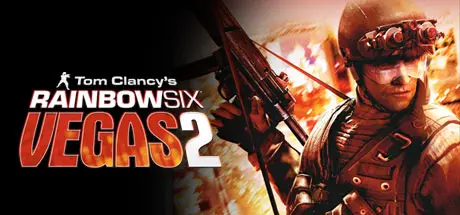
Tom Clancy's Rainbow Six Vegas 2

Featured Replies

Tom Clancy's Rainbow Six Vegas 2 cover art

Tom Clancy's Rainbow Six Vegas 2 Game Details

Release Name: Tom Clancy's Rainbow Six® Vegas 2

Game Version: Build 252092

Release Date: 16 Apr, 2008

Publisher: Ubisoft

Developer: Ubisoft Montreal

Based On: CSF & Steamless

Tom Clancy's Rainbow Six® Vegas 2 Direct Download - Game Review

Tom Clancy's Rainbow Six® Vegas 2 - the sequel to the award-winning next-generation first-person shooter - returns to Sin City. Tom Clancy's Rainbow Six Vegas 2 is your last chance to rescue America's sexiest city from an escalating terrorist siege that will force you into heart-pounding action from beginning to end. The best are back and this time winner takes all.
Recipient of numerous awards, including 2006 Best First Person Shooter and Best Online Game, Tom Clancy's Rainbow Six Vegas 2 pushes the top-selling franchise to new heights with new gameplay features.

  • Ubisoft Montreal Returns - Rainbow Six Vegas 2 is back in the hands of Ubisoft's Montreal studio, creators of the award-winning and highly acclaimed Rainbow Six Vegas, to ensure that ending to the Vegas story is one you'll never forget.

  • More Vegas - Sin City is back and bigger than before. Explore all new Vegas hot spots as the environment changes from dusk to bright daylight to dawn, creating a visual experience that is as challenging as it is breathtaking.

  • Improved AI - AI is more challenging than ever. Now, the terrorists are equipped with thermal vision, night vision, and shields - not to mention a multitude of varying reactions - all of which are guaranteed to give you a new playing experience every time you go into battle. As you progress within the game, you'll only be able to outsmart your enemies by taking advantage of intel opportunities, such as thermal scanning, and tactical strategies, such as leapfrogging.

  • New Weapons and Armor - Take down the terrorists more effectively using 11 new weapons. New camouflage, clothing and gear allow you to take customization to the next level.


Tom Clancy's Rainbow Six Vegas 2 Screenshots

Tom Clancy's Rainbow Six Vegas 2 screenshot 1 Tom Clancy's Rainbow Six Vegas 2 screenshot 2 Tom Clancy's Rainbow Six Vegas 2 screenshot 3 Tom Clancy's Rainbow Six Vegas 2 screenshot 4


Tom Clancy's Rainbow Six Vegas 2 Trailer


Tom Clancy's Rainbow Six Vegas 2 System Requirements

Minimum Requirements

Recommended Requirements

OS

Originally released for Windows 7, the game can be played on Windows 10 and Windows 11 OS

-

Processor

3 GHz Pentium 4 or AMD Athlon 3000 (3.5 GHz Pentium 4 or AMD Athlon 3500 recommended)

-

Memory

1 GB of RAM

-

Graphics

128 MB DirectX 9.0c-compliant, Shader 3.0-enabled video card (256 MB recommended) (see supported list*)

-

DirectX

DirectX 9.0c

-

Storage

7 GB free

-


How to Install Tom Clancy's Rainbow Six Vegas 2

  1. No Installation Needed: The game is pre-installed. Just download and extract.

  2. Extract: Right-click the .zip or .rar file and select "Extract Here" or "Extract to folder".

  3. Run: Find binaries\R6Vegas2_Game.exe inside the folder and run it.

Game Data & Settings

  • Change Language: Move the language files on LANGUAGES folder to main game folder.

Important Notes

🔥DOWNLOAD AREA🔥

🔹4.86 GB🔹

Select the server you want to download with ZeiLink.

Download

  • Views 630
  • Created
  • Last Reply

Posted Images

Create an account or sign in to comment

Recently Browsing 0

  • No registered users viewing this page.

Account

Navigation

Search

Search

🔎 Search Tip
For exact results, search using "game name" .
Without quotes, results may include unrelated titles.

Configure browser push notifications

Chrome (Android)
  1. Tap the lock icon next to the address bar.
  2. Tap Permissions → Notifications.
  3. Adjust your preference.
Chrome (Desktop)
  1. Click the padlock icon in the address bar.
  2. Select Site settings.
  3. Find Notifications and adjust your preference.
