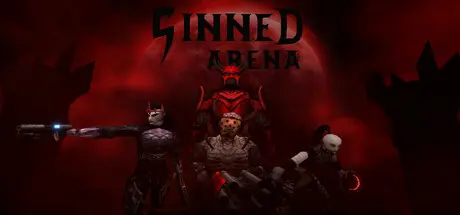
August 1Aug 1 Sinned Arena Game DetailsRelease Name: Sinned ArenaGame Version: Build 24434289Release Date: 28 Jul, 2026Publisher: xDennyDeveloper: xDennyBased On: CSF & GoldbergSinned Arena Direct Download - Game OverviewSinned Arena is a classic arena shooter inspired by timeless 90s games. You are trapped in Hell with other unfortunate souls, fighting among each other for demons twisted pleasures. Fight for your way out of this dark place but beware, demons aren't there just to watch.Engage in Single player in two different ways:Play Campaign mode where you go through predefined Deathmatch maps with progressively increasing difficulty of your opponents.Play Skirmish mode where you can tailor the gameplay experience to your liking. You can choose game mode, map, score goal, number of opponents and their skills. You can also spice up your experience with Mutators that are adding various modifiers to the game.The game offers 5 game modes: Deathmatch, Team Deathmatch, Heartcore, Instagib and Team InstagibDeathmatch is a classic Free For All mode, where you are winning by being first to get required amount of kills.Team Deathmatch is a team variant of Deathmatch mode where goal is again reaching required amount of kills but score of your teammates counts as well.Heartcore is a team mode where goal is to destroy a heart inside of enemy base. First team to destroy enemy heart wins.Instagib a Team Instagib are similar to Deathmatch or Team Deatchmatch modes but this time, you only have one weapon at your disposal and it turns your opponents into bunch of gibs with a single shot.Throughout the game, you are collecting all sorts of weapon relics and character relics. Weapon relics serves as a way to make your weapons more powerful or even change their functionality entirely while character relics are giving you unique bonuses to your character or upgrading your base stats. There are several ways to obtain relics such as challenging your opponents to a duel. Winning in a duel will give you opponent's relic but be careful, opponents can challenge you for your own relic as well.Sinned Arena Screenshots Sinned Arena TrailerSinned Arena System Requirements Minimum RequirementsRecommended Requirements OSWindows 10Windows 10 Processor2.4 GHZ Quad Core Processor2.4 GHZ Quad Core Processor (or higher) Memory2 GB RAM4 GB RAM GraphicsGeforce GTX 460Geforce GTX 560 (or higher) DirectXVersion 9.0Version 9.0 Storage500 MB available space500 MB available space How to Install Sinned ArenaNo Installation Needed: The game is pre-installed. Just download and extract.Extract: Right-click the .zip or .rar file and select "Extract Here" or "Extract to folder".Run: Find Sinned Arena.exe inside the folder and run it.Game Data & SettingsChange Language: Edit the file located at steam_settings/Configs.user.iniSave Data Location: */SavesImportant NotesTo support the Game Developer, Get It On Steam.🔥DOWNLOAD AREA🔥🔹165 MB🔹Select the server you want to download with ZeiLink.Download





Create an account or sign in to comment