



Theme
Language

Layout
Skip to content
View in the app

A better way to browse. Learn more.

ZeiGames

A full-screen app on your home screen with push notifications, badges and more.

To install this app on iOS and iPadOS
  1. Tap the Share icon in Safari
  2. Scroll the menu and tap Add to Home Screen.
  3. Tap Add in the top-right corner.
To install this app on Android
  1. Tap the 3-dot menu (โ‹ฎ) in the top-right corner of the browser.
  2. Tap Add to Home screen or Install app.
  3. Confirm by tapping Install.

Quasimorph Free Download (v1.0.2.575 + Supporter Pack DLC)
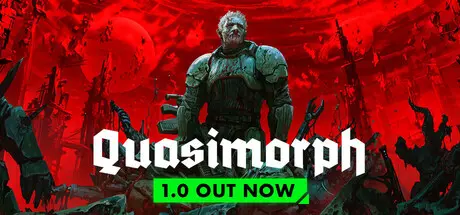
Quasimorph

Featured Replies

Quasimorph cover art

Quasimorph Game Details

Release Name:ย Quasimorph

Game Version:ย v1.0.2.575 | Build 24798070

Release Date: 31 Jul, 2026

Publisher: HypeTrain Digital

Developer: Magnum Scriptum

Based On:ย CSF & Goldberg

Quasimorph Direct Download - Game Overview

Quasimorph is a unique high-stakes roguelike that blends cyberpunk, cosmic body horror, and PMCs trying to profit from the Apocalypse.

Complete corporate contracts, and you keep everything you managed to extract, making your PMC stronger with every successful mission.
Die, and you lose everything you brought with you.
But you can always print a new mercenary and try the contract again.

Take on contracts from powerful corporations.
Earn reputation through sweat and blood.

Turn your mercenaries into augmented weapons with cybernetic implants and body modifications.
Explore planetary bases, secret laboratories, and the wreckage of starships.
Recover new technologies and resources to upgrade your flagship.

Corporations are stretching their claws far beyond the Solar System.
And something terrible is drawing near.
Discover what unforgivable things humanity has done in the depths of space.

Didnโ€™t make it? Rethink your approach.
Thereโ€™s huge room for experimentation: hundreds of weapons and armor pieces, unique gadgets, a deep augmentation and body modification system, dozens of classes, and unique mercenaries.

Corporations hire ruthless mercenaries to carry out their shadow operations.
Demons twist human nature and corrupt the course of human evolution.
Assemble a team of professionals, count your bullets, maintain your gear, and prepare yourself for every grotesque turn of this bloody slaughter.


Quasimorph Screenshots

Quasimorph screenshot 1 Quasimorph screenshot 2 Quasimorph screenshot 3 Quasimorph screenshot 4


Quasimorph Trailer


Quasimorph System Requirements

Minimum Requirements

Recommended Requirements

OS

Windows 7, 8, 10

-

Processor

Intel Core i3 3.0 GHz

-

Memory

2 GB RAM

-

Graphics

NVIDIA GeForce GTX 760 / AMD Radeon R9 280X

-

DirectX

-

-

Storage

300 MB available space

-


How to Install Quasimorph

  1. No Installation Needed: The game is pre-installed. Just download and extract.

  2. Extract: Right-click the .zip or .rar file and select "Extract Here" or "Extract to folder".

  3. Run: Find Quasimorph.exe inside the folder and run it.

Game Data & Settings

  • Change Language: Edit the file located at steam_settings/Configs.user.ini

  • Save Data Location: %USERPROFILE%/AppData/LocalLow/Magnum Scriptum Ltd/Quasimorph

Important Notes

DLC List

Added DLCs

Quasimorph - Supporter Pack

๐Ÿ”ฅDOWNLOAD AREA๐Ÿ”ฅ

๐Ÿ”น1.76 GB๐Ÿ”น

Select the server you want to download with ZeiLink.

Download

  • DicDale changed the title to Quasimorph Free Download (v1.0.1 + Supporter Pack DLC)
  • Replies 1
  • Views 2.3k
  • Created
  • Last Reply

Top Posters In This Topic

Posted Images

  • DicDale changed the title to Quasimorph Free Download (v1.0.2.575 + Supporter Pack DLC)

Create an account or sign in to comment

Recently Browsing 0

  • No registered users viewing this page.

Account

Navigation

Search

Search

๐Ÿ”Ž Search Tip
For exact results, search using "game name" .
Without quotes, results may include unrelated titles.

Configure browser push notifications

Chrome (Android)
  1. Tap the lock icon next to the address bar.
  2. Tap Permissions โ†’ Notifications.
  3. Adjust your preference.
Chrome (Desktop)
  1. Click the padlock icon in the address bar.
  2. Select Site settings.
  3. Find Notifications and adjust your preference.