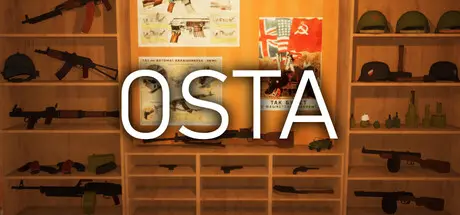
July 30Jul 30 Osta Game DetailsRelease Name: OstaGame Version: v1.0.4 | Build 24511099Release Date: 29 Jul, 2026Publisher: CupDeveloper: CupBased On: CSF & SteamlessOsta Direct Download - Game OverviewIn this game you are a militaria collector starting in Europe, looking for items by metal detecting, auctions or going to markets. You can also travel across the world to find relics from different locations from various conflicts in history.With the amount of items in this game noone is expected to find and keep everything. There are items for almost every niche be it Soviet, German, American, WW1, WW2, Cold War, Yugoslav and many more.When you find a a gun by digging it up in the woods, it is obviously rusted and may be missing parts. You need to clean up the rust, clean the wood parts and find parts to fully restore it.With 1000+ different items to collect, no collection will be the same. Collect and display items that fit your interests, sell items you do not want to keep.Osta Screenshots Osta TrailerOsta System Requirements Minimum RequirementsRecommended Requirements OSWindows 7 64-bitWindows 10 64-bit ProcessorIntel i5Intel i7 Memory6 GB RAM8 GB RAM GraphicsNvidia GeForce GTX 660 or equivalentNvidia GeForce GTX 750ti or equivalent DirectX-- Storage1 GB available space1 GB available space How to Install OstaNo Installation Needed: The game is pre-installed. Just download and extract.Extract: Right-click the .zip or .rar file and select "Extract Here" or "Extract to folder".Run: Find Osta.exe inside the folder and run it.Game Data & SettingsSave Data Location: %USERPROFILE%/AppData/Local/Osta\Saved\SaveGamesImportant NotesTo support the Game Developer, Get It On Steam.🔥DOWNLOAD AREA🔥🔹493 MB🔹Select the server you want to download with ZeiLink.Download





Create an account or sign in to comment