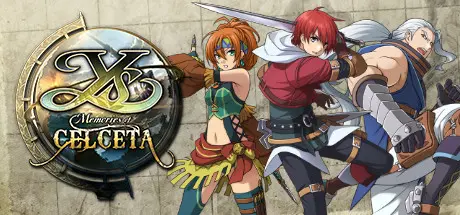
May 22May 22 Game DetailsRelease Name:ย Ys: Memories of CelcetaGame Version:ย Build 4287576Release Date: 25 Jul, 2018Publisher: XSEED Games, Marvelous USA, Inc.Developer: Nihon FalcomBased On:ย CSF & GoldbergYs: Memories of Celceta Direct Download - Game Review World-famous red-haired adventurer Adol Christin awakens in the unfamiliar land of Celceta, remembering nothing more than his own name. Bereft of his past, Adol explores the town he happened to wander into, searching for any clues at all to his identity. Joined by a thief who claims to have spent some time at his side these past weeks, the young adventurer helps rescue doomed miners from a collapse โ an act which ingratiates him to the local Romun Army general. Impressed with their skills, the pair is enlisted to explore the Great Forest of Celceta and map its vast expanses โ a task which many have attempted in the past, but from which none have ever returned alive.Eager to unravel the mystery of his past and the cause of his predicament, Adol sets off with his new-old thief friend, Duren, to chart the untamed wilderness that claimed his memories. Along the way he meets numerous other individuals who seem to have encountered him before, and must carefully determine who among them can be trusted.Developer Nihon Falcom originally revisited the land and characters of Japanese cult favorite Ys IV in 2012 with Ys: Memories of Celceta on the PlayStation Vita, and the game found its way to North America the following year. Now, this re-envisioning moves from the small screen to PC monitors, with a bevy of updates and enhancements to fully take advantage of its new platform.Game Screenshots Game TrailerSystem RequirementsMinimum RequirementsRecommended RequirementsOSWindows 7Windows 10ProcessorIntel Core i3Intel Core i5 (4-core 3.30Ghz)Memory4 GB RAM8 GB RAMGraphicsAMD Radeon HD 6570AMD Radeon R7 200 SeriesDirectXVersion 11Version 11Storage3 GB available space3 GB available spaceInstallation GuideNo Installation Needed: The game is pre-installed. Just download and extract.Extract: Right-click the .zip or .rar file and select "Extract Here" or "Extract to folder".Run: Find Ysc_dx11.exe inside the folder and run it.Game Data & SettingsChange Language: Edit the file located at steam_settings/Configs.user.iniSave Data Location: %USERPROFILE%/Saved Games/FALCOM/Ys Memories of Celceta/gameImportant NotesTo support the Game Developer, Get It On Steam.๐ฅDOWNLOAD AREA๐ฅ๐น1.70 GB๐นSelect the server you want to download with ZeiLink.Download
Create an account or sign in to comment