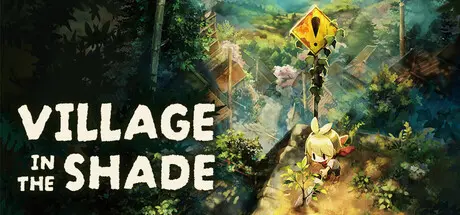
July 30Jul 30 Village in the Shade Game DetailsRelease Name: Village in the ShadeGame Version: v1.06 | Build 24771274Release Date: 29 Jul, 2026Publisher: NIS America, Inc.Developer: Nippon Ichi Software, Inc.Based On: CSF & GoldbergVillage in the Shade Direct Download - Game OverviewWelcome to Kagatsu, a Japanese mountain village with plenty of secrets. In this brand-new, hand-painted farming sim, you'll plant crops, customize your homestead, and befriend a cast of intriguing characters. Relax by the brook, watch the cherry blossoms with your neighbors, or take a stroll through town. With so many ways to relax, you're sure to feel right at home.Just make sure to follow a few simple rules: don't talk to strangers, don't leave the village, and, whatever you do, don't go out at night.Unsettle Down: Make your new home feel like home! Buy furniture in town to decorate your house, then craft fences and other items with the resources you've gathered around your farm.Festival Fun: Experience traditional Japanese festivals and activities, like the summer festival and cherry-blossom viewing. Get closer to your neighbors as you enjoy laid-back living.Secrets Aren't Meant to be Shared: Discover the truth about Kagatsu at your own risk, or follow the rules and keep from seeing a part of the village you don't want to.Village in the Shade Screenshots Village in the Shade TrailerVillage in the Shade System RequirementsMinimum RequirementsRecommended RequirementsOSWindows 10/11Windows 10/11ProcessorIntel Core i5-6400Intel Core i5-12500Memory8 GB RAM16 GB RAMGraphicsGeForce GTX 750 TiGeForce GTX 1650DirectXVersion 11Version 11Storage9 GB available space9 GB available spaceHow to Install Village in the ShadeNo Installation Needed: The game is pre-installed. Just download and extract.Extract: Right-click the .zip or .rar file and select "Extract Here" or "Extract to folder".Run: Find Village.exe inside the folder and run it.Game Data & SettingsChange Language: Edit the file located at steam_settings/Configs.user.iniSave Data Location: %USERPROFILE%/AppData/Roaming/Nippon Ichi Software, Inc\HonogurashinoniwaImportant NotesTo support the Game Developer, Get It On Steam.🔥DOWNLOAD AREA🔥🔹6.34 GB🔹Select the server you want to download with ZeiLink.Download
August 12Aug 12 Hey, Thanks for sharing the game.Btw the game just update to 1.05 right after you updated in the front page lolcan you update to that version ?Thanks :) Current Playing : Biohazard Requiem IIIIIIIIIIIIIIIIIIIIIIIIIIIIIIIIIIIII 60%Beast Of Reincarnation IIIIIIIIIIIIIIIIIIIIIIIIIIIIIIIIIIIII 1%
Saturday at 08:56 AM3 days 24 minutes ago, starraptor1312 said:Sadly English isn't supported, this looks so cute!Window of application -> Source & target languages -> Live-Translates with OCR -> Results as an overlayGitHubWindowTranslator/docs/README.en.md at master · Freeesia/W...WindowTranslatorは、Windowsのアプリケーションのウィンドウを翻訳するためのツールです。 - Freeesia/WindowTranslatorAdditional Language Support Coming in October!The wait is over everyone! The official language patch for English, French, and Spanish will launch on Tuesday 10/27/26. We thank you for your patience and can't wait for you to follow the rules.Regarding the in-game display languageOnce the game has launched, the display language cannot be changed in-game.Additionally, the display language setting is saved individually for each save file.If you wish to play in a language other than Japanese, please change the setting via Steam before launching the game, as follows:■ For players about to start the gamePlease change the display language using the steps below before launching the game.① Open your Steam Library, right-click the game title, and select "Properties."② Open the "Language" tab.③ Select your desired language from the drop-down menu.④ Launch the game, and you will be able to play in your selected language.*If the game does not support your selected language, the display language will automatically default to Japanese.■ For players who have already started the gameUnfortunately, the display language cannot be changed after you have started playing.If you wish to change the display language, please start a new game using an unused save slot.① Select "Start" on the title screen and choose an unused save slot.② When the confirmation message appears, select "Yes" (on the left).③ When the Japanese prompt stating "The language cannot be changed after the game starts" appears, select "No" (on the right).④ Enter the language settings menu and select your desired language.*If there are no empty save slots, please delete an unwanted save file after selecting "Start" to create an empty slot.We hope you enjoy Quiet Countryside! Edited Saturday at 09:01 AM3 days by BobbyButter





Create an account or sign in to comment