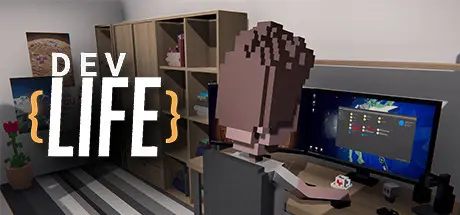
July 28Jul 28 DevLife Game DetailsRelease Name: DevLifeGame Version: v0.9.84 | Build 14575820Release Date: 21 Aug, 2020Publisher: Mesote GamesDeveloper: Roman StudioBased On: CSF & GoldbergDevLife Direct Download - Game OverviewHave you ever wanted to try what it's like to be a programmer, graphic designer, or tester, but you didn't have the right skills or time to learn them? In DevLIfe you can experience it for yourself! Create your character and guide him or her through life in the IT industry. Complete commissions, create your projects, set up your own company, hire employees, and lead them to success!Although the game is in Early Access, it already contains many features and a mechanic. The most important of them are:Creating your own character, choosing traits, and building your career in the IT industryMake thought choices in Interactive Events that shape both the gameplay and the story of your character!Four extensive skill trees - learn how to create websites, mobile applications, video games, and desktop applications. Decide what direction you want to take in your career!Finding and fulfilling commissions for external clients and improving your skills through learningStarting your own company, creating your own projects, hiring employees, and taking care of their well-being and growthFour unique locations: family house, bay office, desert office and city center officeBuild Mode - buy new furniture, decorations, or RTV equipment and take care of the comfort and high performance of your employeesWe won't stop here. In future versions, we plan to expand the "life" aspect of DevLife by adding more theme-based Interactive Events. Besides, with each update in the game the available content will be expanded, there are plans for:New Character Customization OptionsAdditional LocationsNew FurnitureDevLife Screenshots DevLife TrailerDevLife System Requirements Minimum RequirementsRecommended Requirements OSWindows 32-bitWindows 64-bit ProcessorIntel i3-2100 / AMD Athlon II X4 645Intel i5-4690 or i7-4720HQ / AMD Ryzen 3 1200 Memory4 GB RAM8 GB RAM GraphicsNvidia GT 440 / AMD Radeon 5570Nvidia GTX 750Ti or GTX 960M / AMD R7 260X DirectXVersion 11Version 11 Storage3 GB available space3 GB available space How to Install DevLifeNo Installation Needed: The game is pre-installed. Just download and extract.Extract: Right-click the .zip or .rar file and select "Extract Here" or "Extract to folder".Run: Find DevLife.exe inside the folder and run it.Game Data & SettingsChange Language: Edit the file located at steam_settings/Configs.user.iniSave Data Location: %USERPROFILE%/My Documents/DevLife/SavesImportant NotesTo support the Game Developer, Get It On Steam.🔥DOWNLOAD AREA🔥🔹4.77 GB🔹Select the server you want to download with ZeiLink.Download





Create an account or sign in to comment