



Skip to content
View in the app

A better way to browse. Learn more.

ZeiGames

A full-screen app on your home screen with push notifications, badges and more.

To install this app on iOS and iPadOS
  1. Tap the Share icon in Safari
  2. Scroll the menu and tap Add to Home Screen.
  3. Tap Add in the top-right corner.
To install this app on Android
  1. Tap the 3-dot menu (โ‹ฎ) in the top-right corner of the browser.
  2. Tap Add to Home screen or Install app.
  3. Confirm by tapping Install.

Train Simulator Classic Free Download (v77.6b + ALL DLC)
Featured Replies

header.webp

Game Details

Release Name:ย Train Simulator Classic

Game Version:ย v77.6b | Build 19929042

Release Date:ย 17 Sep, 2015

Publisher:ย Dovetail Games - Trains, Dovetail Games

Developer:ย Dovetail Games

Based On:ย CSF anon42 & Goldberg

Train Simulator Classic Direct Download - Game Review

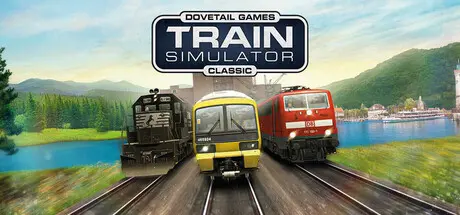
The ultimate railway hobby for more than 15 years! From historic steam locomotives to modern high-speed and heavy freight trains, and routes around the world, Train Simulator Classic is the simulation made by railfans for railfans.

Train Simulator Classic takes you to three countries, with more than 400km/250 miles of detailed real-world routes included. Drive heavy freight trains on the USAโ€™s challenging Saluda Grade, move passengers and freight along Germanyโ€™s historic Hochrheinbahn, and take passengers from the English Channel ports towns of Dover and Ramsgate to the capital city, London.

Take the controls of trains which are officially licensed by the operating companies. Drive variations of Southeasternโ€™s Class 465, 375 and 395 on Chatham Main Line, take Deutsche Bahnโ€™s BR111 and BR189 from Konstanz to Villingen, and negotiate Saluda Grade in Norfolk Southernโ€™s EMD SD40-2s and GP35s. Get to grips with realistic signalling systems, authentic brake controls and lifelike weather conditions as you become an expert driver through 25 career-mode scenarios, or use Quick Drive to drive the trains you like, wherever you like.

Use the Train Simulator Editor to build living worlds with comprehensive tools. Create your own dream railway or scenario and start a service with your favourite locomotive. With full Steam Workshop support you can share your creations with other railfans around the world, or browse through the thousands of community creations already available to try out.

  • Hundreds of kilometres of track in lifelike real-world locations

  • Licensed trains and rolling stock

  • 25 Career scenarios with varied rail experiences, plus Quick Drive

  • 3 stunningly recreated real-world railway routes with stations, freight yards and more

  • BR Class 465/9 in Southeastern Blue Stripe & Grey Stripe liveries

  • BR Class 465/0 and 465/1 in Southeastern Blue Stripe & Grey Stripe liveries

  • BR Class 395 in Southeastern Highspeed original & 10th Anniversary liveries

  • BR Class 375/3, 375/6, 375/7, 375/8 and 375/9 in a variety of Southeastern liveries

  • BR Class 377/1 in Southern livery (with Southern and Southeastern Logos)

  • BR Class 377/5 in Southeastern livery

  • DB BR189 in Traffic Red livery

  • DB BR111 in Traffic Red livery

  • DB DABz Dost and ABn Regio coaches and a selection of freight wagons

  • Norfolk Southern (ex-Southern) high-hood EMD SD40-2

  • Norfolk Southern (ex-Norfolk & Western) low-nose EMD SD40-2

  • Norfolk Southern (ex-Southern) high-nose EMD GP35

  • A selection of Norfolk Southern freight wagons

  • Realistic signalling, safety systems and locomotive controls

  • Train Simulator Editor creative tool

  • Full Steam Workshop support


Game Screenshots

screenshotย screenshotย screenshotย screenshot


Game Trailer


System Requirements

Minimum Requirements

Recommended Requirements

OS

32-bit Windows 10*

64-bit Windows 10, Windows 11 or later*

Processor

Intel Core-i3 4330 3.50 GHz Dual Core or AMD A8 6600K 3.90 GHz Quad Core or Better

Intel Core-i5 4690 3.50 GHz Quad Core or AMD Ryzen 7 1700 3.80 GHz Quad Core or Better

Memory

4 GB RAM

16 GB or Better

Graphics

NVIDIA GeForce GTX 750 Ti or AMD Radeon R9 Graphics with 1 GB Dedicated VRAM or Better

NVIDIA GeForce GTX 970 or AMD Radeon RX 480 with 4 GB Dedicated VRAM or Better

DirectX

9.0c

9.0c

Storage

40 GB or more available space (Additional Add-Ons will require more)

40 GB or more available space (Additional Add-Ons will require more)


Installation Guide

  1. No Installation Needed: The game is pre-installed. Just download and extract.

  2. Extract: Right-click theย .zipย orย .rarย file and select "Extract Here" or "Extract to folder".

  3. Download All Parts and extarct the folder part 7z.001 file.

  4. Run: Findย RailWorks64.exeย inside the folder and run it.

Game Data & Settings

  • Change Language: Edit the file located atย steam_settings/Configs.user.ini

Important Notes

๐Ÿ”ฅDOWNLOAD AREA๐Ÿ”ฅ

๐Ÿ”น203.50 GB๐Ÿ”น

Select the server you want to download with ZeiLink.

Please remove the .7z extension from each file and extract.

Download

  • Views 60
  • Created
  • Last Reply

Posted Images

Create an account or sign in to comment

Recently Browsing 0

  • No registered users viewing this page.

Account

Navigation

Search

Search

๐Ÿ”Ž Search Tip
For exact results, search using "game name" .
Without quotes, results may include unrelated titles.

Configure browser push notifications

Chrome (Android)
  1. Tap the lock icon next to the address bar.
  2. Tap Permissions โ†’ Notifications.
  3. Adjust your preference.
Chrome (Desktop)
  1. Click the padlock icon in the address bar.
  2. Select Site settings.
  3. Find Notifications and adjust your preference.
