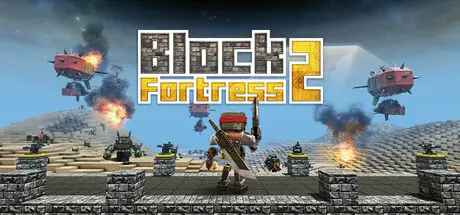
July 23Jul 23 Block Fortress 2 Game DetailsRelease Name: Block Fortress 2Game Version: Build 18332510Release Date: 17 Apr, 2025Publisher: Foursaken MediaDeveloper: Foursaken MediaBased On: CSF & GoldbergBlock Fortress 2 Direct Download - Game OverviewBlock Fortress 2 lets you build an impenetrable fortress in almost any way imaginable, then puts you in the action trying to defend it! Place walls, turrets, traps, and tons of other specialized defenses to build your base. Choose from dozens of guns and equipment, build an army, and join the fight to defend your stronghold! Put your skills as a builder, commander, and fighter to the test as you try to fend off the relentless enemies of the Blockverse!Build your base using dozens of different turrets, walls, and other special blocks. Defend against attacks from four different enemy races!Choose your equipment, build an army, and join the battle in action-packed first- or third-person combat!Set up massive battles or intricate stealth missions. Build obstacle courses or giant worlds to explore. If you can imagine it, you can build it! Then share your creations and download others for endless replayability!Build a home on your command ship and explore 10 different planet types, each with unique dangers!A unique mix of block-building, tower defense, and FPS/TPS gameplay!Complete freedom to build your base however you want, from towering fortresses, to sprawling castles!Build more than 200 different block types, including powerful turrets, shield generators, farms, land mines, teleporters, zip lines, and more!Equip your character with tons of weapons and items, including a rocket launcher, mini-gun, plasma rifle, jet pack, and more!Choose and deploy an army of specialized soldiers to help you fight!Survive a dynamic day and night cycle, severe weather, lava, acid, alien monsters, and other environmental hazards!Several game modes, including sandbox, missions, and survival Extensive mission builder allows you to create and share your own levels!10 different planet biomes to conquer, each with their own hazards!Take a break from combat and get creative building a home on your command ship Upload and share your creations and download others!Block Fortress 2 Screenshots Block Fortress 2 TrailerBlock Fortress 2 System Requirements Minimum RequirementsRecommended Requirements OSWindows 10+- Processor2GHz or faster processor- Memory2 GB RAM8 GB RAM Graphics1 GB & AMD 5570 or nVidia 450 or Intel Integrated Graphics 5302GB & AMD 7970 or nVidia 770 or greater DirectX-- Storage2 GB available space- How to Install Block Fortress 2No Installation Needed: The game is pre-installed. Just download and extract.Extract: Right-click the .zip or .rar file and select "Extract Here" or "Extract to folder".Run: Find blockfortress2steam.exe inside the folder and run it.Game Data & SettingsChange Language: Edit the file located at steam_settings/Configs.user.iniSave Data Location: %USERPROFILE%/Saved Games/FoursakenMedia/blockfortress2steam/Important NotesTo support the Game Developer, Get It On Steam.🔥DOWNLOAD AREA🔥🔹1.31 GB🔹Select the server you want to download with ZeiLink.Download





Create an account or sign in to comment