



Skip to content
View in the app

A better way to browse. Learn more.

ZeiGames

A full-screen app on your home screen with push notifications, badges and more.

To install this app on iOS and iPadOS
  1. Tap the Share icon in Safari
  2. Scroll the menu and tap Add to Home Screen.
  3. Tap Add in the top-right corner.
To install this app on Android
  1. Tap the 3-dot menu (โ‹ฎ) in the top-right corner of the browser.
  2. Tap Add to Home screen or Install app.
  3. Confirm by tapping Install.

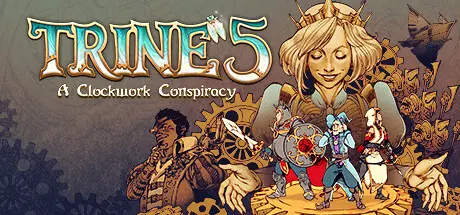
Trine 5: A Clockwork Conspiracy Free Download (Build 12486837 + Online)
Featured Replies

header.webp

Game Details

Release Name:ย Trine 5: A Clockwork Conspiracy

Game Version:ย Build 12486837

Release Date: 31 Aug, 2023

Publisher: THQ Nordic

Developer: Frozenbyte

Based On:ย CSF & Goldberg

Trine 5: A Clockwork Conspiracy Direct Download - Game Review

Trine 5: A Clockwork Conspiracy will take Amadeus the Wizard, Zoya the Thief, and Pontius the Knight on their most action-packed journey yet!

With their reputations tarnished, loved ones in danger, and their own magical powers at stake, the Heroes of Trine must reunite to push back a fearsome Clockwork army and bring peace and justice to the land!

Traverse breathtaking 2.5D landscapes in Trine's deepest and visually richest chapter to date, with an all new cast of characters - some friends, some foes, but all unforgettable.

Whether by yourself or playing with up to three friends in online and local co-op, the upgraded puzzle difficulty system keeps things fresh, adapting the challenge to the number of players.

Level up the heroes' abilities with the all-new skill quest system, growing their legend as they are once again united byโ€ฆ the Trine!

  • 2.5D adventure with world-renowned puzzle platformer action

  • Combine forces in 1-4 players (single player, local and online co-op)

  • Accessibility and replayability through an adaptive difficulty system for both combat and puzzles

  • Beautiful fantasy world with stunning visuals

  • New combat system and tense boss encounters

  • Fairytale soundtrack, as well as a voice cast of returning favourites and charming new additions

  • Character-specific skill quest system adds greater depth and playstyle variety than ever before

  • Trine's most epic tale yet, with more levels, puzzles, and battles than previous entries

  • Express yourself - deck the heroes of Trine out in customisable outfits

  • Bring the kingdom back from the verge of clockwork oblivion in Trine's most magical story, with fiendish villains and memorable allies


Game Screenshots

screenshot screenshot screenshot screenshot


Game Trailer


System Requirements

Minimum Requirements

Recommended Requirements

OS

Windows 10/11

Windows 10/11

Processor

Intel Core i7-2600K 3.40GHz or Ryzen 5 1600

Intel Core i7-7700K 4.20 GHz or Ryzen 5 360

Memory

8 GB RAM

16 GB RAM

Graphics

NVIDIA GeForce GTX 760 or AMD Radeon R9 280

NVIDIA GeForce GTX 1060 6GB or AMD RX 580

DirectX

Version 11

Version 11

Storage

16 GB available space

16 GB available space


Installation Guide

  1. No Installation Needed: The game is pre-installed. Just download and extract.

  2. Extract: Right-click the .zip or .rar file and select "Extract Here" or "Extract to folder".

  3. Run: Find Trine 5.exe inside the folder and run it.

Multiplayer & Online (Optional)

  • Play Online: Download the Online Fix file and apply it to the game folder.

  • Please go to the online fix page and read the guide.

Game Data & Settings

  • Change Language: Edit the file located at steam_settings/Configs.user.ini

Important Notes

๐Ÿ”ฅDOWNLOAD AREA๐Ÿ”ฅ

๐Ÿ”น16.56 GB๐Ÿ”น

Select the server you want to download with ZeiLink.

Download

Online Fix - (RAR pass: rexagames.com)

  • Views 394
  • Created
  • Last Reply

Posted Images

Create an account or sign in to comment

Recently Browsing 0

  • No registered users viewing this page.

Account

Navigation

Search

Search

๐Ÿ”Ž Search Tip
For exact results, search using "game name" .
Without quotes, results may include unrelated titles.

Configure browser push notifications

Chrome (Android)
  1. Tap the lock icon next to the address bar.
  2. Tap Permissions โ†’ Notifications.
  3. Adjust your preference.
Chrome (Desktop)
  1. Click the padlock icon in the address bar.
  2. Select Site settings.
  3. Find Notifications and adjust your preference.
