



Skip to content
View in the app

A better way to browse. Learn more.

ZeiGames

A full-screen app on your home screen with push notifications, badges and more.

To install this app on iOS and iPadOS
  1. Tap the Share icon in Safari
  2. Scroll the menu and tap Add to Home Screen.
  3. Tap Add in the top-right corner.
To install this app on Android
  1. Tap the 3-dot menu (โ‹ฎ) in the top-right corner of the browser.
  2. Tap Add to Home screen or Install app.
  3. Confirm by tapping Install.

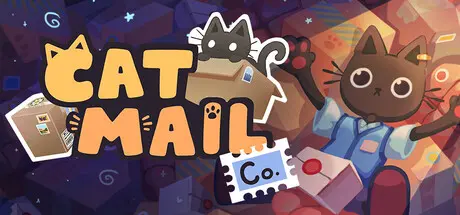
Cat Mail Co. Free Download (Build 24202085 + Supporter Pack DLC + Online)
Featured Replies

header.webp

Game Details

Release Name:ย Cat Mail Co.

Game Version:ย Build 24202085

Release Date: 9 Jul, 2026

Publisher: Maracas Studio, Gamersky Games

Developer: Maracas Studio

Based On:ย CSF & Unsteam

Cat Mail Co. Direct Download - Game Review

A quiet island. A forgotten post office. And a mountain of undelivered mail.

You arrive just in timeโ€ฆ or perhaps a little too late. The former postman has vanished, leaving chaos behind: parcels piled to the ceiling, customers growing impatient, and a once-thriving postal service on the brink of collapse.

One package at a time, youโ€™ll bring it back to life.

Cat Mail Co. is about slowing down and enjoying the rhythm of small, satisfying tasks.

Incoming mail arrives by boat, and outgoing parcels must be carefully loaded for their journey.

Sort deliveries for the right destinations, or risk having them returned damaged. Take your time serving customers, organize your storage exactly the way you like, prepare for the next wave, and keep everything running smoothly as the post office slowly regains its former glory.

With each improvement, new destinations unlock, along with tools and abilities to help you manage the growing operation.

Every package tells you how it wants to be handledโ€ฆ but how you do it is up to you.

Weigh parcels to determine postage, apply destination labels, mark fragile or heavy goods, and decorate them with a variety of stamps. Functional or whimsical, every sticker you place adds personality to your work.

Thereโ€™s no such thing as a โ€œcorrectโ€ way but just your way.

  • A cozy, stress-free gameplay loop with no timers or penalties

  • A satisfying package handling system: weigh, stamp, label, and sort

  • A meaningful day/night cycle with magical nighttime mechanics

  • A relaxing โ€œpre-crastinationโ€ experience focused on preparation and flow

  • A post office in a cat's world to organize and restore

  • Up to 4-player cooperative gameplay

  • A narrative discovered through sorting parcels


Game Screenshots

screenshot screenshot screenshot screenshot


Game Trailer


System Requirements

Minimum Requirements

Recommended Requirements

OS

Windows 10 or Windows 11

-

Processor

Intel Core i5-3330 3.0 GHz, AMD FX-8300 3.3 GHz

-

Memory

8 GB RAM

-

Graphics

NVIDIA GeForce GTX 950 or Radeon HD 7970

-

DirectX

-

-

Storage

4 GB available space

-


Installation Guide

  1. No Installation Needed: The game is pre-installed. Just download and extract.

  2. Extract: Right-click the .zip or .rar file and select "Extract Here" or "Extract to folder".

  3. Run: Sign in Steam Account and Find CatMailCo.exe inside the folder and run it.

Game Data & Settings

  • Save Data Location: %USERPROFILE%/AppData/LocalLow/Maracas Studio/CatMailCo/GameSaves

Important Notes

DLC List

Added DLCs

Cat Mail Co. Supporter Pack

๐Ÿ”ฅDOWNLOAD AREA๐Ÿ”ฅ

๐Ÿ”น564 MB๐Ÿ”น

Select the server you want to download with ZeiLink.

Download

  • Replies 5
  • Views 2.1k
  • Created
  • Last Reply

Top Posters In This Topic

Most Popular Posts

  • Escapo
    Escapo

    yup.. doesnt work for me either something about it requires steam

  • DicDale
    DicDale

    Just open background steam, you can use fake one or real one.

Posted Images

it says i need to be connected on steam to play ๐Ÿ˜ฅ any fixes?

yup.. doesnt work for me either something about it requires steam

9 minutes ago, Escapo said:

yup.. doesnt work for me either something about it requires steam

i've tried the goldberg emu fix posted on cs.rin, but cant get past the loading screen also, guess we'll need to wait for a bit ๐Ÿ˜ฅ

  • Author
5 hours ago, Escapo said:

yup.. doesnt work for me either something about it requires steam

5 hours ago, kyll said:

i've tried the goldberg emu fix posted on cs.rin, but cant get past the loading screen also, guess we'll need to wait for a bit ๐Ÿ˜ฅ

Just open background steam, you can use fake one or real one.

  • DicDale changed the title to Cat Mail Co. Free Download (Build 24202085 + Supporter Pack DLC + Online)

Create an account or sign in to comment

Recently Browsing 0

  • No registered users viewing this page.

Account

Navigation

Search

Search

๐Ÿ”Ž Search Tip
For exact results, search using "game name" .
Without quotes, results may include unrelated titles.

Configure browser push notifications

Chrome (Android)
  1. Tap the lock icon next to the address bar.
  2. Tap Permissions โ†’ Notifications.
  3. Adjust your preference.
Chrome (Desktop)
  1. Click the padlock icon in the address bar.
  2. Select Site settings.
  3. Find Notifications and adjust your preference.