



Skip to content
View in the app

A better way to browse. Learn more.

ZeiGames

A full-screen app on your home screen with push notifications, badges and more.

To install this app on iOS and iPadOS
  1. Tap the Share icon in Safari
  2. Scroll the menu and tap Add to Home Screen.
  3. Tap Add in the top-right corner.
To install this app on Android
  1. Tap the 3-dot menu (โ‹ฎ) in the top-right corner of the browser.
  2. Tap Add to Home screen or Install app.
  3. Confirm by tapping Install.

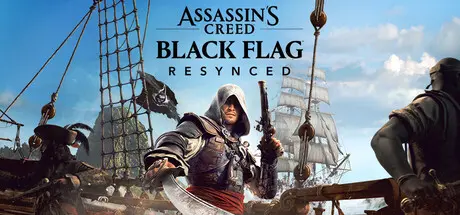
Assassin's Creed Black Flag Resynced Free Download (v1.0.5 + ALL DLC)
Featured Replies

3 hours ago, DicDale said:

You something wrong on steps. Download game, Download Hv Bypass, apply HV bypass on main game folder, run vbs.cmd, complete steps and check av program blocked or deleted any files.

everything done, it's strange, it's taking me a long time too, i used the transfer server to download all of it at once and got both the parts plus the bypass, did everything as it should and also checked my av, somehow i still get the same error.

  • Replies 29
  • Views 6.6k
  • Created
  • Last Reply

Top Posters In This Topic

Most Popular Posts

  • sosaism
    sosaism

    absolutely fucking goated. The Heian era of piracy is back!!

  • Placeholder
    Placeholder

    Thank you @DicDale bro. Fast as fuck too like DAMN!

  • creas1217
    creas1217

    broo do you have a tutorial on how to get the game running kinda new with HV anything will help thanks

Posted Images

6 hours ago, DicDale said:

You something wrong on steps. Download game, Download Hv Bypass, apply HV bypass on main game folder, run vbs.cmd, complete steps and check av program blocked or deleted any files.

Im getting the exact same problem, first it said it didnt detect ubisoft connect, I downloaded it and made a acc now it just says I dont have the game so it doesnt start, as the other member also said I did check the HV bypass and its all good, theres also no files missing and every antivirus is off

m2 svm on..after reset press 7 on cmd and nothing the game not working need to buy from ubisoft

maybe ubistoft program need to uninstall ? ๐Ÿ˜‚

9 minutes ago, Stitch said:

m2 svm on..after reset press 7 on cmd and nothing the game not working need to buy from ubisoft

maybe ubistoft program need to uninstall ? ๐Ÿ˜‚

nope as I said before I didnt have it at all and it said "couldnt detect ubisoft connect", didnt open anything, once I installed ubisoft connect it opened ubisoft connect but saying I dont have the game so it doesnt open it either way

5 minutes ago, Kei said:

nope as I said before I didnt have it at all and it said "couldnt detect ubisoft connect", didnt open anything, once I installed ubisoft connect it opened ubisoft connect but saying I dont have the game so it doesnt open it either way

I donโ€™t know whatโ€™s going on, anyway a buddy who downloaded it a few days ago still has it working

Guys, I just figured it out: unzip the "bypass" folder, place it in the game folder, and overwrite the existing files. Then go into the "devunoOwO" folder, copy everything inside, go back to the main game folder, and paste those files there. Also, make sure to run the game as administrator. I got it workingโ€”I hope this solves the problem for you too. !! 
39 minutes ago, Kei said:

nope as I said before I didnt have it at all and it said "couldnt detect ubisoft connect", didnt open anything, once I installed ubisoft connect it opened ubisoft connect but saying I dont have the game so it doesnt open it either way

I just figured it out: unzip the "bypass" folder, place it in the game folder, and overwrite the existing files. Then go into the "devunoOwO" folder, copy everything inside, go back to the main game folder, and paste those files there. Also, make sure to run the game as administrator. I got it workingโ€”I hope this solves the problem for you too.
40 minutes ago, Stitch said:
Guys, I just figured it out: unzip the "bypass" folder, place it in the game folder, and overwrite the existing files. Then go into the "devunoOwO" folder, copy everything inside, go back to the main game folder, and paste those files there. Also, make sure to run the game as administrator. I got it workingโ€”I hope this solves the problem for you too. !! 

W tysm it worked!

  • DicDale changed the title to Assassin's Creed Black Flag Resynced Free Download (v1.0.4 + ALL DLC)
  • DicDale changed the title to Assassin's Creed Black Flag Resynced Free Download (v1.0.5 + ALL DLC)

Create an account or sign in to comment

Recently Browsing 0

  • No registered users viewing this page.

Account

Navigation

Search

Search

๐Ÿ”Ž Search Tip
For exact results, search using "game name" .
Without quotes, results may include unrelated titles.

Configure browser push notifications

Chrome (Android)
  1. Tap the lock icon next to the address bar.
  2. Tap Permissions โ†’ Notifications.
  3. Adjust your preference.
Chrome (Desktop)
  1. Click the padlock icon in the address bar.
  2. Select Site settings.
  3. Find Notifications and adjust your preference.