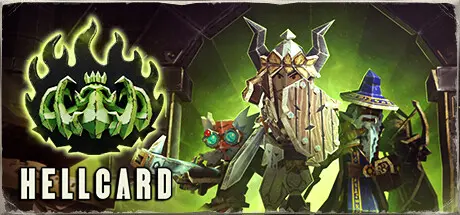
July 3Jul 3 HELLCARD Game DetailsRelease Name: HELLCARDGame Version: Build 21781438Release Date: 1 Feb, 2024Publisher: Skystone GamesDeveloper: Thing TrunkBased On: CSF & GoldbergHELLCARD Direct Download - Game OverviewHellcard is a cooperative roguelike deckbuilder that can be played in both Singleplayer and Multiplayer modes. The game takes place in the paper dungeons known from Book of Demons, and its main mechanics revolve around deckbuilding and fast-paced tactical card battles.If you are excited about HELLCARD, be sure to wishlist the game on Steam. Otherwise, consider wishlisting anyway - who knows, we might surprise you yet!What makes HELLCARD unique and different from other deck-building games is that monster placement actually matters and can be used to your advantage.HELLCARD supports co-op battles with up to three heroes facing the Archdemon's hordes. In singleplayer mode, you can descend into the dungeons solo or recruit computer-controlled companions. In multiplayer mode, your friends or strangers can help you battle the hordes of hell.Return 2 Games is a series of unique mid-core games inspired by the golden days of PC gaming. Each R2G title is a tribute to a single hit game from the '90s: a reimagining of a single universal story for a brand-new audience, using modern means and innovative, often vastly simplified gameplay mechanics.HELLCARD was first envisioned as a new game mode inside the Book of Demons universe, but we soon realized that its design is huge and that it should be executed as a stand-alone spin-off game. If you want to learn more about Return 2 Games or support us in the development of the series, visit the Supporter Pack store page. On release, HELLCARD will be a part of it.HELLCARD Screenshots HELLCARD TrailerHELLCARD System Requirements Minimum RequirementsRecommended Requirements OSWindows 7, 8, 8.1, 10, 11- Processor1.7 GHz Dual Core or Greater- Memory2 GB RAM- Graphics512 MB DirectX 9.0c compatible graphics card- DirectX-- Storage1500 MB available space- How to Install HELLCARDNo Installation Needed: The game is pre-installed. Just download and extract.Extract: Right-click the .zip or .rar file and select "Extract Here" or "Extract to folder".Run: Find HELLCARD.exe inside the folder and run it.Multiplayer & Online (Optional)Play Online: Download the Online Fix file and apply it to the game folder.Please go to the online fix page and read the guide.Game Data & SettingsChange Language: Edit the file located at steam_settings/Configs.user.iniSave Data Location: %USERPROFILE%/AppData/Roaming/R2G_HellcardImportant NotesTo support the Game Developer, Get It On Steam.DLC ListAdded DLCsHELLCARD - Bruja, the Blood WitchHELLCARD - Modding ToolsHELLCARD - Riftbreaker's Ashley OutfitHELLCARD - RGB Glory PackHELLCARD - Collector's Content🔥DOWNLOAD AREA🔥🔹1.36 GB🔹Select the server you want to download with ZeiLink.DownloadOnline Fix - (RAR pass: zeigames.com)





Create an account or sign in to comment